

Overview
Forward your Hardal events to ad platforms and analytics tools — server-side, in real time.
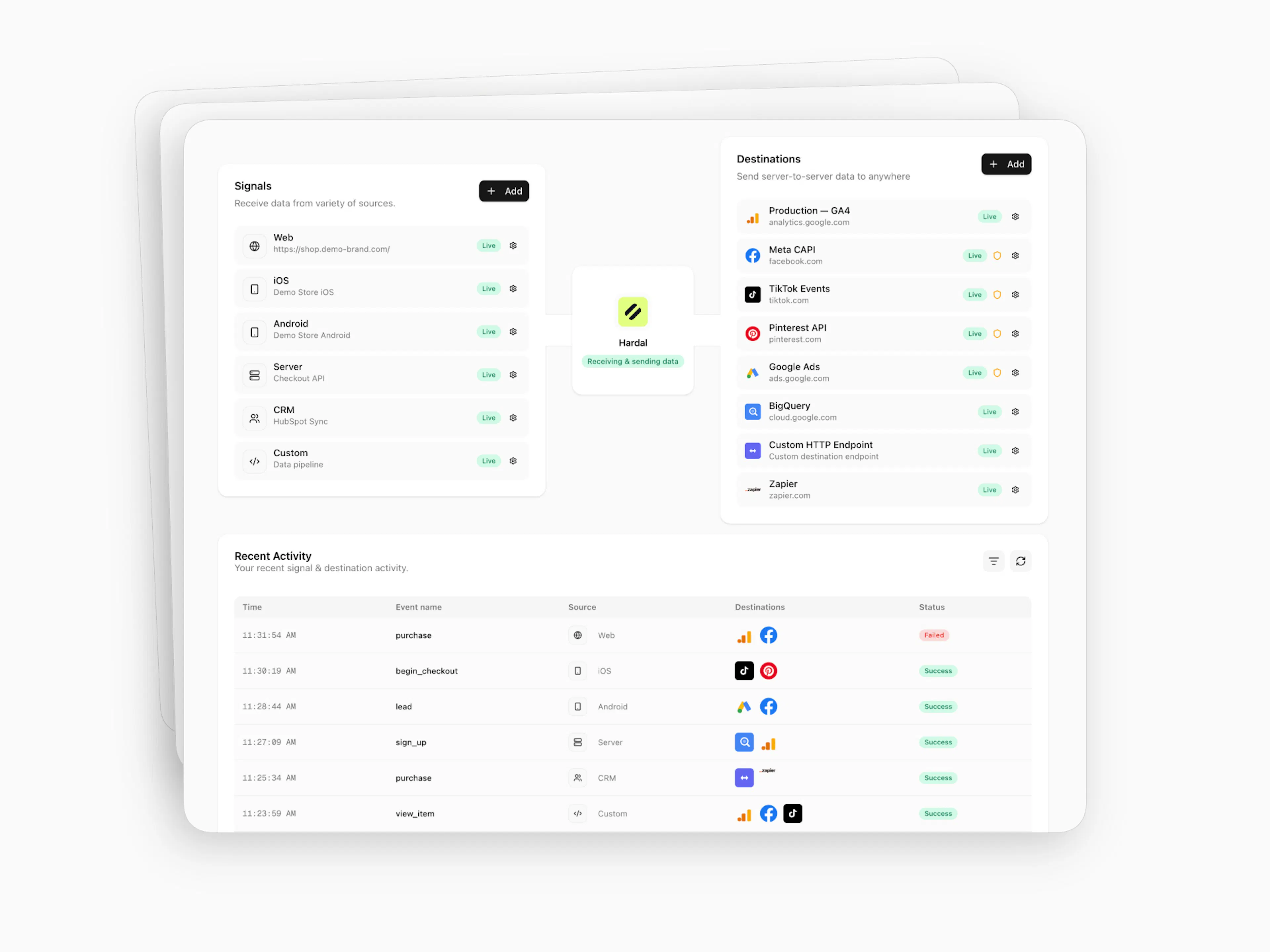
A destination receives events from your Hardal signal and forwards them server-to-server — no browser involved, no ad blockers in the way. When an event fires, Hardal checks which destinations are active and delivers the event to each one simultaneously.
Manage destinations from your signal's sidebar → Destinations.
The destinations page
Destinations list shows every destination you've configured. Each row displays the name, platform domain, and a status badge — Live or Disabled. Click the ⚙️ gear icon to open settings.
Recent Activity is a live table of every event processed by this signal — timestamp, event ID, event name, source, which destinations received it (colored platform icons), and delivery status. You can filter, sort, and group rows.
Destination categories
| Category | Destinations | Event handling | Consent |
|---|---|---|---|
| Marketing | Meta CAPI, TikTok Events API, Snapchat CAPI, LinkedIn CAPI, Pinterest CAPI, Reddit CAPI, Spotify Conversions API, OpenAI Ads | Auto-forwards supported standard events | On by default |
| Analytics | Google Analytics 4 | Auto-forwards supported standard events | Configurable |
| Custom | Custom Webhook | You choose which events to forward | Configurable |
Marketing and Analytics destinations automatically forward the Hardal events each platform supports. Only Custom Webhook lets you select specific events.
Adding a Marketing or Analytics destination
Select a destination
Click + Add, pick a platform. A modal opens with Setup and Advanced tabs.
Enter credentials
In Setup, enter the platform credentials (Pixel ID, access token, etc.). Each field has a tooltip (ⓘ) explaining where to find the value.
Configure Advanced (optional)
Most destinations offer a testing feature and a Consent Mode toggle. For Marketing destinations, Consent Mode is on by default.
Connect and activate
Click Connect. Open settings (⚙️) → Activate when ready to go live.
Adding a Custom Webhook
Custom Webhooks have a richer setup: General (name + endpoint URL), Events (toggle which events to forward), and Conditions (Consent Mode + custom rules). See the Custom Webhook page for details.
Managing destinations
Click ⚙️ on any destination to access:
Setup — Update credentials without recreating the destination.
Advanced — Testing feature (varies by platform — see each destination's page), Consent Mode toggle, and Remove this destination.
Active destinations show Pause / Save. Paused destinations show Activate / Save.
Consent
Marketing destinations require consent: "true" in your event payload. See Consent Mode.
hardal.track("purchase", {
  revenue: 99.90,
  currency: "USD",
  order_id: "ORD-123",
  consent: "true"
});
Available destinations
Meta CAPI
First-party purchase signals for ad targeting
TikTok Events API
Accurate event matching for high-intent audiences
Snapchat CAPI
Real-time behavioral signals for retargeting
LinkedIn CAPI
B2B conversion sync for campaign optimization
Spotify Conversions API
Server-side conversion delivery for Spotify Ads
OpenAI Ads
Web conversion events for OpenAI Ads
Reddit CAPI
Community engagement to conversion tracking
Pinterest CAPI
Enriched catalog events for product discovery
Google Analytics 4
Server-side traffic and conversion measurement
Custom Webhook
Forward events to any HTTPS endpoint