

Overview
Monitor traffic, events, and conversions from your Hardal signal.
This documentation applies to the legacy Hardal platform. Open the legacy dashboard.
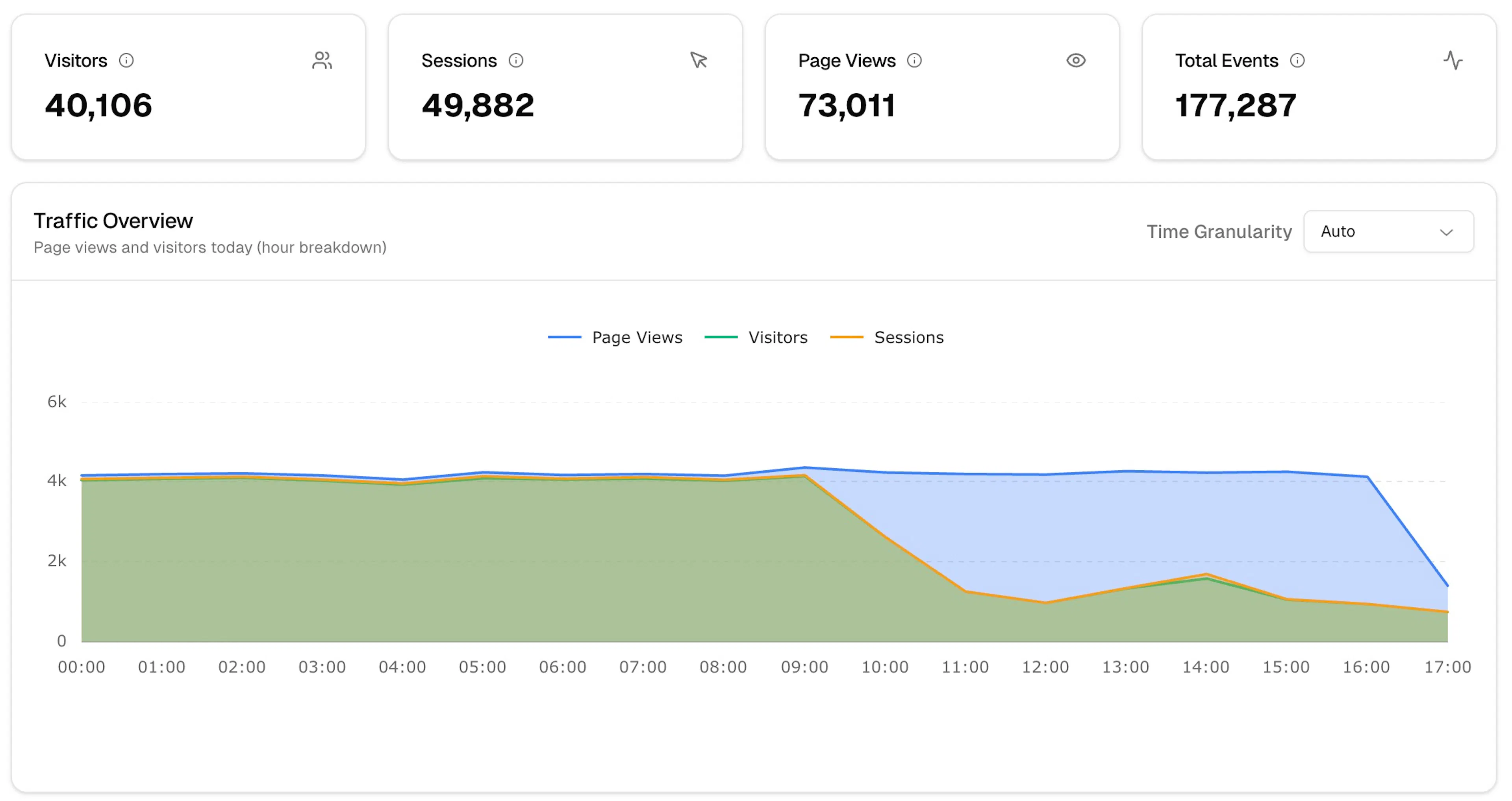
The Analytics section shows you what's happening on your site — visitors, sessions, page views, and events — for any time range you choose.
Sections
| Section | What it shows |
|---|---|
| Overview | Summary metrics, traffic chart, browser/device/country breakdowns |
| Events | Individual event log with properties |
| Sessions | Full session timelines per visitor |
| Campaigns | Attribution by UTM source, medium, and campaign |
| Funnel | Conversion funnel visualisation |
| Items | Performance by product or item |
Time range
Use the date picker in the top toolbar to filter any section. Enable Compare to for period-over-period comparison.
If Visitors and Sessions are nearly equal, most of your traffic is new. A session count much higher than visitors means meaningful return traffic.
Next steps
Was this page helpful?