

Overview
Monitor traffic, events, and conversions from your Hardal signal.
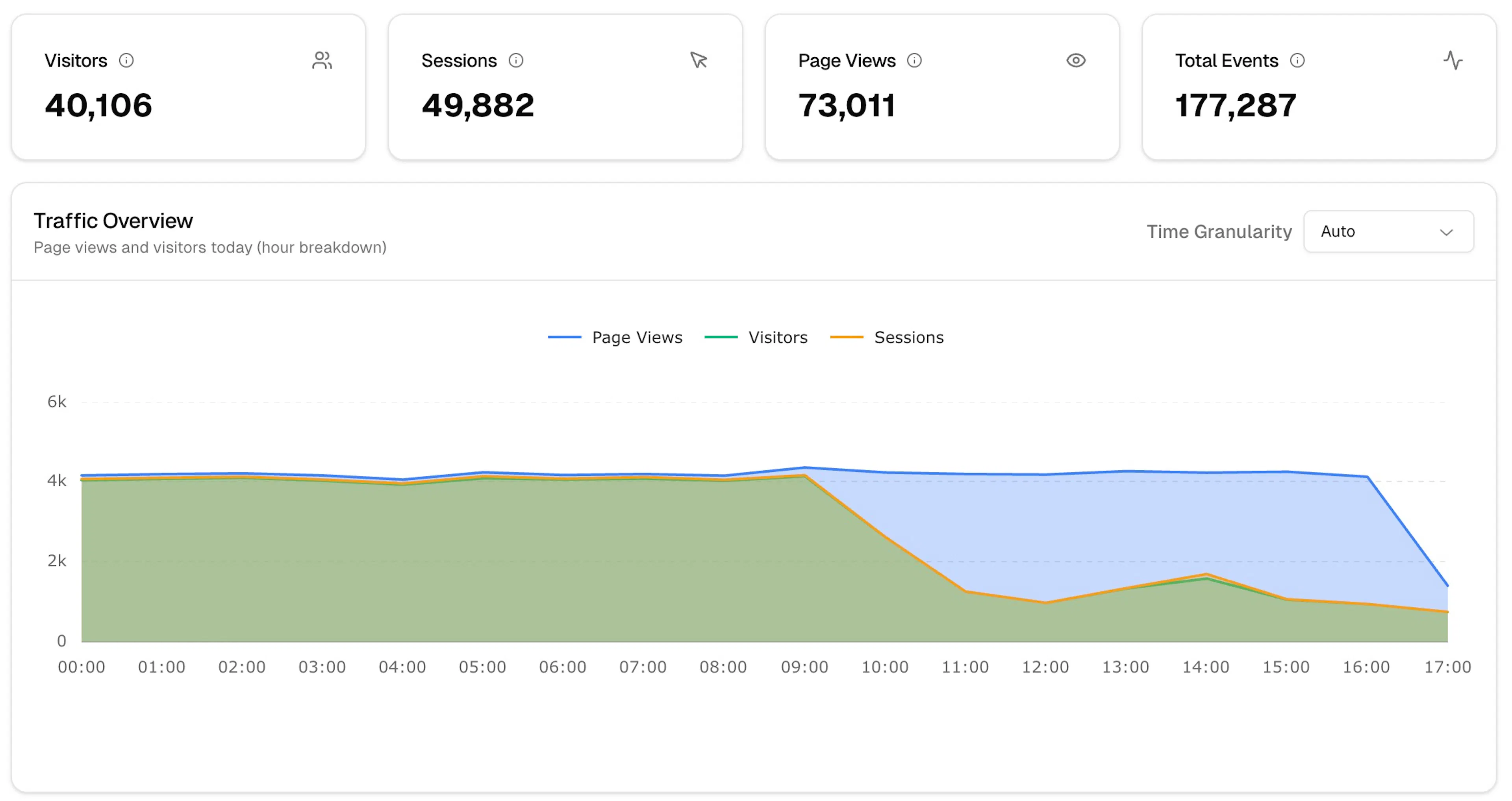
The Analytics section shows you what's happening on your site — visitors, sessions, page views, and events — for any time range you choose.
Sections
| Section | What it shows |
|---|---|
| Overview | Summary metrics, traffic chart, browser/device/country breakdowns |
| Events | Individual event log with properties |
| Sessions | Full session timelines per visitor |
| Campaigns | Attribution by UTM source, medium, and campaign |
| Funnel | Conversion funnel visualisation |
| Items | Performance by product or item |
Time range
Use the date picker in the top toolbar to filter any section. Enable Compare to for period-over-period comparison.
If Visitors and Sessions are nearly equal, most of your traffic is new. A session count much higher than visitors means meaningful return traffic.
Next steps
Was this page helpful?