

Changelog
Stay up to date with every Hardal platform release, including new destinations, analytics features, API updates, and important bug fixes
Updates
- Higher custom report memory allowance — Custom report queries can now use up to 2 GB of memory, increased from 500 MB, so larger date ranges and more complex reports run without hitting the limit. When a report does exceed the available memory, the error now specifically advises narrowing the date range instead of returning a generic failure.
Updates
- More reliable custom reports — Repeated interactive report requests now use a short-lived cache, and identical concurrent requests share one execution instead of stacking. Active work is limited per signal and across the service; when capacity is busy, responses include clear retry guidance.
- Safer report cancellation and CSV exports — In-flight report queries stop when the requesting client disconnects, and CSV exports larger than 20 MB return a dedicated size-limit error instead of failing ambiguously.
Bug fixes
- Current-month session resets — Resetting session data for the current, still-active month now captures a stable point-in-time snapshot instead of allowing the data window to shift mid-processing. If a reset fails and resumes, previously completed chunks are preserved and the window stays frozen at the original cutoff, so session analytics for the current month remain accurate.
Updates
- Redis configuration in signal setup — Signal installation commands can now include Redis host, port, password, and user settings during deployment.
- Campaign currency backfill — Currency-specific campaign data can now be rebuilt independently without reprocessing other attribution tables.
Bug fixes
- Lead report type in signal setup — Selecting "leads" now maps to the matching installation flag, preventing a mismatched report configuration.
- Campaign currency handling — Missing currency values are normalized during revenue backfills, and campaign responses omit currency fields when no currency data is available.
- Project invitation email branding — Project invitation emails now display the current Hardal logo.
Bug fixes
- Conversion rate in grouped campaign reports — Grouped campaign reports now calculate conversion rates from aggregated session and conversion totals, fixing incorrect rates that appeared when rows were grouped by source, medium, or campaign.
- Purchase event currency values — Purchase events without a currency value no longer cause inconsistencies in multi-currency Campaign and Items reports.
Updates
- Faster sessions and events loading — Sessions and events analytics pages now load more quickly under heavy data volumes, thanks to optimized query processing that reduces unnecessary data scanning.
New features
- Multi-currency revenue display — Campaign and Items reports now show revenue in each row's own currency instead of applying a single account-wide currency to every value. A new Currency column in the Campaign table identifies the currency for each row, and the revenue summary card displays a hoverable breakdown of all currencies when multiple are present. No currency conversion is applied — grouped rows show a formatted total only when all rows share the same currency, and a dash otherwise.
Updates
- Per-row currency in Items report — Revenue figures in the Items table, CSV exports, and attribution detail panels now use each item's own currency rather than the account default, so mixed-currency reports display accurate per-row values.
Updates
- Flight referral partners in campaign attribution — Traffic from Google Flights, Skyscanner, Aviasales, and Wego is now correctly classified as Affiliate traffic in campaign attribution reports, instead of appearing as Unassigned or Direct.
Updates
- Faster, more reliable campaign reports — Campaign analytics queries now cancel automatically when you navigate away mid-load, so they no longer consume resources in the background. Identical concurrent requests share a single execution instead of stacking, and current and comparison periods run sequentially rather than simultaneously — reducing timeouts under heavy load.
Updates
- Interactive breakdown picker on demo funnels — The breakdown selector on demo funnels is now live and interactive. Explore primary and secondary dimensions without affecting the shared demo configuration — selections are preview-only and reset when you leave.
New features
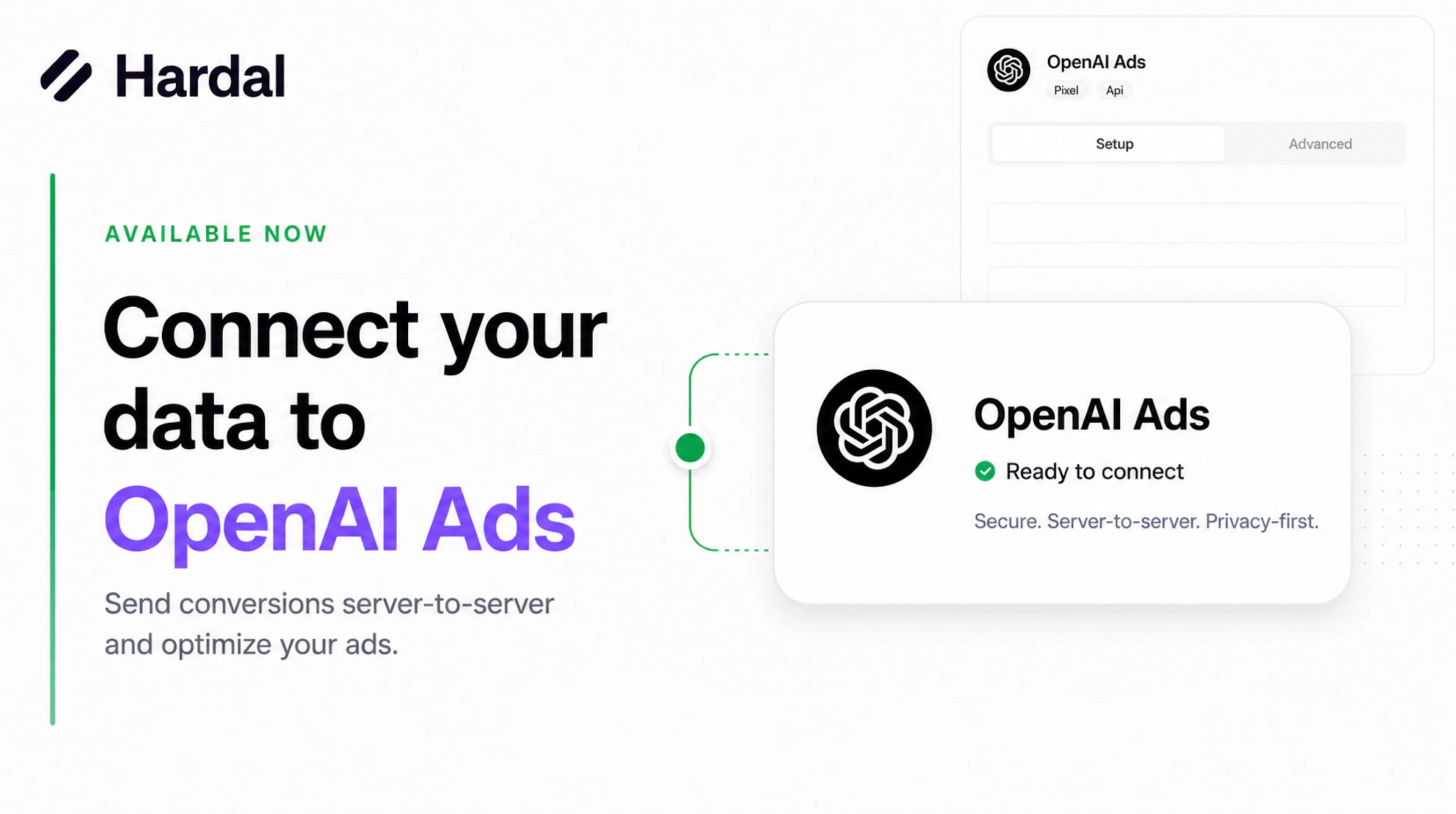
- Spotify Conversions API — Send conversion events to Spotify Ads directly from Hardal. Configure your Connection ID and access token, and events are forwarded automatically.
- OpenAI Ads — Forward web conversion events to OpenAI Ads with Pixel ID and API key authentication. A Validate Only mode lets you test event delivery without sending live data.
- Referral program — Share your referral link from the sidebar to invite new teams to Hardal.
Updates
- Partner-native event names — Destinations now accept platform-native event names directly (e.g., sending
PURCHASEfor Spotify instead ofpurchase), so you can forward events without translating names yourself.
Bug fixes
- Sessions analytics timeout — Sessions queries no longer return timeout errors under heavy load, thanks to optimized join handling.
- Spotify event parsing — Events with pre-mapped names are no longer silently dropped during forwarding.
New features
- sGTM health monitoring — Signals with server-side Google Tag Manager enabled now have dedicated health monitoring, so teams can check sGTM availability and identify unhealthy instances.
Updates
- Azure managed identity for self-hosted signals — Signals deployed on Azure VMs can use user-assigned managed identities to authenticate to Azure services without storing credentials on the VM.
- Cleaner signal installation command — The installation command shown during signal setup is formatted as a single line, making it safer to copy and paste into a terminal.
Bug fixes
- Dashboard startup stability — Fixed a race condition that could cause the dashboard to crash during initial load.
Updates
- Invite-only access — Self-service signup, Google sign-in, and account merging have been removed. New users join through project invitations only.
- Funnel cards show event steps — Each saved funnel card now displays its event sequence as visual step badges with chevron separators, so you can see the flow at a glance without opening the funnel.
- Real-time project search — The project switcher in the sidebar now filters projects instantly as you type — no need to press Enter.
Bug fixes
- Signal deployment destination token — Freshly deployed signals now correctly receive the destination token during installation, so they connect to configured destinations without manual steps.
Updates
- More resilient web event collection — The web tracker now sends browser events through a new asynchronous collection flow with beacon-friendly batching, so page exits and bursty traffic are handled more reliably while consent and identify calls still return structured responses when you need them.
Bug fixes
- Event Helper totals now load correctly — Event Helper now reads the latest analytics response format correctly, so event counts populate again and the list stays sorted by volume instead of failing on newer Nexus-backed data.
New features
- Multiple saved funnels — Create, edit, delete, and switch between saved funnel definitions, with dedicated detail pages, CSV export, and automatic migration for legacy default funnels.
- Agent Events analytics — Analyze AI assistant and bot traffic separately so automated activity is easier to monitor without mixing it into human visitor behavior.
- Items and Leads time-series charts — Track product and lead performance over time directly from the report pages.
- Demo Sessions — Sessions are now available in the public demo experience for evaluating session timelines and visitor behavior before setup.
Updates
- Optional scheduled Items and Leads reports — Configure recurring refreshes for Items and Leads report data when your reporting workflow needs scheduled updates.
- Duplicate Signal — Duplicate an existing signal from Settings to speed up similar tracking setups.
- Richer analytics coverage — Geo, device, and session data coverage has improved across analytics views for more complete reporting.
- Standard event names — Standard events have been renamed and split where needed, so you may now see
page_view,consent_granted, andconsent_deniedin event lists and integrations. - Developer experience updates — Multi-signal access, Swagger and API docs, request IDs, and unified login make API-based workflows easier to use and troubleshoot.
Bug fixes
- App startup is more stable after deployment and configuration changes.
- Fresh signals now connect to destinations more reliably during initial setup.
A quick recap of everything that shipped this week. Each item links to the full release notes below.
New features
- Campaign report time-series chart — Campaign attribution now includes a time-series chart with configurable interval (minute, hour, day, week, month), breakdown (source, medium, or campaign), and metric (sessions or conversions). (April 30)
Updates
- Compare period on the campaign time-series chart — When comparison mode is enabled on campaign attribution, the time-series chart now also returns the comparison period so you can overlay both ranges and spot trends side-by-side. (May 4)
- Campaigns page refresh button and loading state — Campaign attribution now has a Refresh button to re-pull the latest data without reloading the page, plus a chart skeleton while data loads so you see the full report layout immediately. (May 4)
- Server-synced tracker consent — The web tracker now exposes a
hardal.consentStatus()method and automatically syncs its consent state from server responses, keeping the browser and server in agreement after each event. (April 30)
Bug fixes
- The Overview dashboard now returns data for custom date ranges that previously came back empty, thanks to standardized date formatting across analytics views. (April 30)
Refresh button on campaign attribution
The campaign attribution report now includes a Refresh button next to the page title. Click it to re-fetch the latest campaign data without reloading the page — useful when you've just sent test traffic or want to confirm a live campaign is being tracked.
Chart skeleton while loading
The campaign attribution page now shows a chart placeholder alongside the existing score-card and table skeletons while data is loading. The full report layout — score cards, time-series chart, and table — appears immediately, with each section filling in as its data arrives instead of the chart popping in last.
Comparison overlay for the campaign time-series chart
When you enable comparison on a campaign attribution report, the time-series chart now returns data for the comparison period alongside the primary range. You can plot both periods on the same chart to see how sessions or conversions are trending versus the previous window — at the same interval and breakdown you've already configured.
Existing reports without comparison enabled are unchanged.
Campaign report time-series chart
Campaign attribution reports now include a time-series chart alongside the existing summary and breakdown table. You can configure:
- Interval — aggregate the chart by minute, hour, day, week, or month (default: hour).
- Breakdown — split the chart by
source,medium, orcampaign(default: source). - Metric — plot sessions or conversions (default: sessions).
This makes it easier to spot daily and intra-day campaign performance trends without leaving the report. The time-series data is returned alongside the existing summary and table data, so existing integrations continue to work unchanged.
Server-synced tracker consent
The web tracker now keeps its consent state in sync with what's stored on the server. Each event response includes the visitor's current consent status, and the tracker automatically updates its local state to match — so a granted decision made on one tab or page is reflected on the next request without needing to re-call hardal.consent("granted").
A new hardal.consentStatus() method returns the tracker's current consent value ("granted", "denied", or "unknown"), which is useful for debugging or for conditionally rendering UI based on the visitor's choice. See the web installation guide for details.
Bug fixes
A quick recap of everything that shipped this week. Each item links to the full release notes below.
New features
- Analytics API — Query Hardal data programmatically across overview, events, sessions, funnels, campaigns, items, and leads. Authenticate with your existing API key and pull data into your own dashboards or warehouses. (April 24)
- Destinations preview in demo mode — Browse the destinations experience read-only, without an account. (April 27)
- Persistent visitor consent — Once a visitor opts in, Hardal remembers their choice automatically across page loads and tabs, so the tracker no longer needs to manage consent state in the browser. (April 29)
Updates
- Custom destination names — Label each destination so it's clear which one handled an event in the dashboard and activity feed. (April 24)
- Richer activity feed — Every delivery now shows the event ID, source (Web/Mobile), outbound event name, and groups multiple destinations onto a single row. (April 24)
- Destinations marked as Beta — The sidebar entry now carries a Beta label as the area continues to evolve. (April 28)
- Cleaner destination dialog — More consistent layout in the Add destination dialog, the consent mode toggle hides itself where it does not apply, and a refresh button on the Events tab re-fetches event lists in place. (April 28)
- Cleaner demo experience — Settings, Usage, and the inline learning slider have been removed from the demo sidebar for a more focused layout. (April 28)
- First-party cookie for identity — The web tracker now uses a secure, first-party cookie (
HttpOnly,Secure,SameSite=Lax) instead of a custom request header to maintain visitor and session identity. (April 29)
Bug fixes
- The event detail panel now correctly renders nested objects and arrays, including
itemsarrays for product data. (April 24) - Consent mode for marketing destinations now reflects the saved configuration consistently across the Advanced view and Conditions tab. (April 28)
- The web tracker no longer emits informational logs to the browser console during event sending. (April 28)
- Demo mode no longer surfaces sidebar items that triggered authentication errors when clicked. (April 28)
- Improved bot and crawler detection accuracy, so analytics totals more reliably exclude automated traffic. (April 29)
- Custom date ranges in analytics — Picking a custom date range on the Overview and other analytics views no longer returns empty results. Date handling is now consistent across overview, events, sessions, campaigns, items, leads, journey, and retention reports. (April 30)
Custom date ranges now work across analytics
Selecting a custom date range on the Overview dashboard previously returned no data in some cases. Date values are now formatted consistently before being sent to the analytics backend, so custom ranges return the expected results.
The same fix applies across Events, Sessions, Campaigns, Items, Leads, Journey, and Retention reports — every analytics view now handles custom date ranges the same way.
No action is required. Custom range selections that previously appeared blank should now load correctly.
Persistent visitor consent
Hardal now remembers each visitor's consent decision on the server. Once a visitor opts in via data-consent="granted" or a runtime hardal.consent("granted") call, their choice is stored against the visitor and reused on subsequent requests — even if the page is reloaded or the consent attribute isn't sent again.
This means:
- You only need to communicate consent once after the user opts in. The tracker doesn't have to attach a consent header on every request.
- Calling
hardal.consent("denied")clears the stored decision and immediately stops associating identity with the visitor. - Pages that don't explicitly send a consent value fall back to the visitor's last stored decision, defaulting to denied if none exists.
No code changes are required — existing tracker installs benefit automatically.
First-party cookie for identity
The web tracker now stores its visitor and session identity in a secure first-party cookie instead of a custom request header. The cookie is set as HttpOnly, Secure, and SameSite=Lax, so it isn't accessible to JavaScript and isn't sent on cross-site navigations.
Practical implications:
- Identity continuity is more reliable across page loads and reloads, with no need for the script to manage cache headers itself.
- The browser console is quieter — the tracker no longer reads or writes a custom
X-Virgo-Cacheheader. - When consent is denied, the cookie is expired immediately, so no identity state is retained.
If you use a custom tracking domain, no changes are needed — Hardal continues to route everything through your first-party domain.
Destinations marked as Beta in the sidebar
The Destinations entry in the dashboard sidebar now carries a Beta label, making it clear which areas of the product are still evolving. A page visit tracker has also been wired up so the destinations experience can be improved based on real usage patterns.
Destinations dialog cleanup
The destination configuration dialog has been tidied up:
- Layout and sorting in the Add destination dialog are more consistent.
- The consent mode toggle in the Conditions tab now hides itself for destinations where it does not apply, so the form only shows controls that are actually relevant.
- The Events tab inside a destination now includes a refresh button to re-fetch the latest event list without reloading the page.
Cleaner demo experience
Demo mode now hides workspace-only controls that don't apply to a public preview. Settings and Usage items are no longer shown in the demo sidebar, and the inline learning slider has been removed in favor of a cleaner, more focused layout.
Bug fixes
- Consent mode handling for marketing destinations has been corrected, so the toggle reflects the saved configuration consistently across the Advanced view and Conditions tab.
- The web tracker no longer emits informational logs to the browser console during event sending. Production sites stay clean, and only real errors and warnings show up in dev tools.
- Removed sidebar items in demo mode that previously triggered authentication errors when clicked, so visitors can browse the demo without hitting unexpected sign-in prompts.
Destinations in demo mode
Demo mode now includes a dedicated Destinations page in the sidebar, so prospects can preview the full destination management experience without signing up. Browse the list of configured destinations, see their delivery status, and explore the pipeline view exactly as it appears in a real signal.
To keep the demo safe to share publicly, the page runs in read-only mode — adding and editing destinations are disabled, with helpful tooltips explaining why. It's the easiest way to evaluate Hardal's server-side destination routing before connecting your own data.
Analytics API
The new Analytics API lets you query your Hardal data programmatically — including overview metrics, events, sessions, funnels, campaigns, items, leads, and CSV exports. Authenticate with your existing API key and pull data into your own dashboards, warehouses, or scheduled reports. See the Analytics API tab in the docs for the full list of endpoints, request parameters, and response schemas.
To keep things fast and fair, each endpoint has its own rate limits and query constraints — for example, raw event listings allow up to 31 days per request and analytics endpoints allow up to 180 days. The reference docs call out the limits per endpoint.
Destination names
You can now give each destination a custom name. Helpful when you have multiple destinations of the same type — for example, two Meta pixels for different regions, or separate webhooks for staging and production. Names appear throughout the dashboard and activity feed so it's clear which destination handled each event.
Richer activity feed
The activity feed now surfaces more context for every delivery:
- Event ID — each row shows the unique event identifier, making it easy to correlate a delivery with a specific event in your analytics.
- Source — a new column labels each event as Web or Mobile so you can spot where traffic is coming from at a glance.
- Outbound event name — the name actually sent to the destination (after automatic event mapping) is shown alongside your original event name.
- Multiple destinations — when a single event fans out to several destinations, the feed now displays all of them on one row instead of duplicating entries.
Bug fixes
- The event detail panel now correctly renders nested objects and arrays — including
itemsarrays used for product data. Previously, complex payloads could display as[object Object]placeholders; they're now expanded into readable, typed values.
User profiles
Hardal now builds persistent user profiles from your identify calls. When you call distinct with user details — email, name, phone, or any custom properties — Hardal stores that data as a first-party user profile tied to the visitor's session and user ID. Profiles are automatically updated each time the user is identified again, so your user data stays current without any extra work. This lays the groundwork for user-level analytics and cross-session insights.
Consent mode for the tracker
The Hardal tracker script now supports a consent mode setting. Add data-consent="granted" to your embed snippet to enable identity tracking, or leave it as "denied" (the default) to collect events without any user or visitor identifiers. When consent is denied, Hardal strips user IDs and visitor IDs from events before they're stored — so you can still count page views and custom events while fully respecting user privacy preferences. You can also update consent at runtime with hardal.consent("granted") after the user opts in. See the web installation guide for details.
Structured tracker responses
All tracker SDK functions — track, pageview, identify, and consent — now return structured response objects with success, data, and error fields. This makes it easier to confirm events were sent, catch errors programmatically, and debug your tracking implementation without checking the network tab. See the web installation guide for details.
Improvements
- Visitor identification is now more accurate for users behind proxies and CDNs. When the forwarded IP header contains multiple addresses, Hardal correctly uses the originating client IP for fingerprinting, preventing the same visitor from being counted multiple times.
- The API now returns consistent, structured JSON error responses with clear error codes and messages across all endpoints.
Overview comparison mode
The Overview dashboard now supports period-over-period comparison. Toggle comparison on to see how every metric — visitors, sessions, page views, bounce rate, and average duration — has changed relative to a previous period. By default, Hardal selects the immediately preceding period of equal length, but you can also pick a custom comparison range (for example, the same week last year).
Comparison data appears across the entire overview: summary totals with percentage change indicators, top pages, referrers, countries, browser and device breakdowns, and the time-series chart. The chart overlays both periods so you can spot trends at a glance.
Sessions overview dashboard
The Sessions page now opens with a set of summary cards showing your key metrics at a glance — Visitors, Sessions, Page Views, and Total Events. Below the cards, a new time-series chart plots visitors and sessions over your selected date range with adjustable intervals (minute, hour, day, week, or month).
Session detail panel
Clicking a session row now opens a slide-out panel instead of expanding inline. The panel displays the full event timeline grouped by session, along with organized detail cards for session info, device and location data, and traffic source — including screen resolution, language, and start/end times.
Sessions API
Two new API endpoints let you query session data programmatically. Retrieve a paginated list of sessions with nested events, or fetch the full event timeline for a specific session by ID. Both support date range, timezone, and pagination parameters.
Improved overview metrics
The Overview dashboard now pulls from session data when available, returning accurate visitor counts, session totals, bounce rate, and average duration instead of raw event estimates.
Horizontal funnel chart
Funnel reports now display a horizontal funnel visualization instead of the previous vertical bar chart. Each stage renders as a proportional segment with inline session counts and conversion percentages. Hover over any stage to see drop-off rates in a tooltip. The chart uses a square-root scale so later stages with low volume remain visible alongside high-traffic entry steps.
Click ID support for TikTok, Pinterest, and Reddit
You can now pass platform click IDs — ttclickid, pt_click_id, and reddit_click_id — directly in your event payloads. Hardal automatically maps these to the correct fields when forwarding events to TikTok, Pinterest, and Reddit destinations, improving conversion attribution accuracy on those platforms.
Improvements
- All analytics pages — including Overview, Events, Sessions, and Funnel — now show skeleton loading states that match the layout of the actual content. A sticky header keeps your date picker, filters, and export controls visible as you scroll through charts and tables.
- Analytics date range and timezone selections now persist between visits.
- Signals with no data show a dedicated empty state instead of blank charts.
- The export button displays a progress indicator while generating files.
- Funnel controls are visually dimmed until a funnel is configured, making setup status clear at a glance.
- The "Page Path" column in the sessions table is now labeled Landing Page for clarity.
- Column headers are more compact — "Page Views" is now Views and "Total Events" is now Events.
- All timestamps now display in 24-hour format.
- Sessions appears in the sidebar navigation with the same badge treatment as Events.
- For mobile signals that don't generate
page_viewevents, the Sessions page automatically detects and uses the dominant event type, with stat labels switching to Screen Views. - Beta badges have been removed from Campaigns, Funnel, Items, and Leads reports — these features are now generally available.
- The Events page now works correctly with mobile and inherited signals.
Updated user identification fields
The distinct event now uses clearer, more consistent field names. name is now firstName, surname is now lastName, and user_id is now customerId. The birthday field now accepts the standard YYYY-MM-DD format. Four new optional fields — city, state, zip, and country — let you send richer user address data for enhanced matching with ad platforms. See the web and mobile installation guides for details.
Automatic event name mapping
Events forwarded to destinations are now automatically translated to each platform's native naming convention. Hardal maps your event names to the expected format for GA4, LinkedIn, Pinterest, Reddit, Snapchat, Spotify, and TikTok — no manual event name overrides needed.
External ID support
You can now include an optional external_id when sending events, allowing you to match users across platforms using your own identifier. Especially useful for ad platforms that support enhanced matching or customer list integrations.
Consent mode for destinations
Destinations now support a consent mode setting. When enabled, events are only forwarded to that destination if the user has granted consent. A simple, per-destination toggle to respect user privacy preferences without changing your tracking setup.
Hashed field mappings
You can now mark individual field mappings as hashed. When enabled, the mapped value is automatically SHA-256 hashed before it's sent to the destination — useful for forwarding emails, phone numbers, or other PII to ad platforms that require hashed identifiers.
Enhanced webhook destinations
Webhook destinations now support fully configurable HTTP method, custom headers, and endpoint URL directly in the destination credentials. This makes it easier to connect to APIs that require specific authentication headers or non-standard request formats.
Bot filtering
Hardal now automatically detects and filters bot traffic at the ingestion layer, so your analytics data reflects real visitors. Requests that include a valid API key bypass bot detection to ensure your server-side integrations aren't affected.
Public demo mode
You can now explore Hardal's full analytics experience — including Overview, Events, Sessions, Campaigns, Funnel, and Items — without creating an account or logging in. Visit the demo directly from the homepage to evaluate the product with realistic sample data before committing to a setup.
Event summary cards
The Events page now shows color-coded summary cards at the top, giving you an at-a-glance count for each tracked event type. Cards are sorted by volume and match the colors used in the time-series chart below, making it easy to spot your highest-traffic events.
Event detail panel
Click any event row to open a slide-out detail panel showing the full event payload — including device info, location, browser, referrer, and all custom properties. No more switching between views to inspect individual events.
Event filtering
You can now include or exclude specific event types when browsing raw events on the Events page. Select only the events you care about — or hide the ones you don't — to quickly zero in on the activity that matters most. Your filter selections are now saved between sessions, so you don't have to reconfigure them every time you visit the page.
Event data inspector
A new tool for exploring the structure of your event data. Browse all available fields, see their data types and sample values, and automatically detect nested JSON structures like arrays and objects. Useful for debugging your tracking setup or understanding what data is flowing into your analytics before building reports.
Event parameter lookup
Click into any individual event to inspect its full parameter payload, including custom data keys, string and numeric values. Helpful for verifying that your tracking implementation is sending the right fields before building reports or forwarding events to destinations.
Timeframe presets
Quick date filters are now available across Events analytics — select "today", "yesterday", "last 7 days", or "last 30 days" instead of manually picking a custom date range every time.
More realistic demo data
Demo mode now simulates returning visitors with multi-session behavior, making the sample data feel closer to real-world traffic patterns when you're evaluating Hardal. Demo events also include realistic UTM and campaign attribution data drawn from a weighted mix of common channels — Google Ads, organic search, social media, email, and more — so Campaign reports are populated out of the box.
Hashed field mappings for destinations
You can now mark any destination field mapping as hashed. When enabled, the field value is SHA-256 hashed before it leaves Hardal — useful for forwarding PII-sensitive fields like email addresses or phone numbers to ad platforms that accept hashed identifiers.
Destination event allowlist API
You can now manage which events each destination receives through dedicated API endpoints. Retrieve the current allowlist or replace it in a single call — set specific event names to forward only what you need, or pass an empty list to pause all event delivery for that destination.
Per-destination delivery tracking
Every event forwarded to a destination now includes a unique delivery ID, so you can trace each message from ingestion through to outbound delivery. The activity feed shows individual delivery entries per destination with clear status indicators, making it easier to debug failed or delayed deliveries.
Event exclusion filter
You can now exclude specific event types from the Events view. Deselect any events you don't want to see, and the list updates instantly — helpful when you want to focus on specific conversions without noise from high-volume events like page views.
Event parameter lookup
Retrieve individual event parameters directly from the Events detail view. Select any event and pull a specific parameter value without scanning the full payload — useful for quick debugging or verifying that custom properties are being tracked correctly.
Destination delivery tracking
The activity feed now shows per-message delivery results for each destination. Every forwarded event gets a unique delivery ID, and you can see the exact HTTP status and outcome (delivered or failed) for each platform individually — making it much easier to debug delivery issues.
Improvements
- Destination delivery is now more reliable across all platforms — GA4, Meta, TikTok, Pinterest, Snapchat, LinkedIn, Reddit, and Spotify all use proper request timeouts and improved error handling.
- Event queries now handle user attribution data more accurately with improved join logic.
- Time interval options are now standardized across all analytics views: minute, hour, day, week, and month.
- The Events page now includes a manual refresh button and improved loading skeletons for a smoother experience.
- Destination event filtering now enforces strict opt-in — an empty allowlist means no events are forwarded, giving you full control over what data reaches each destination.
- Event filter configurations on the Events page now persist across browser sessions.
- Default request timeouts and standardized headers added across all platform integrations for more reliable event delivery.
- Faster analytics queries through optimized join settings for raw events and time-series data.
- Destination deliveries now return structured error reasons when events are skipped or fail validation, making it easier to diagnose forwarding issues.
- User match signals are now verified before forwarding events to ad platforms, reducing rejected conversions from incomplete user data.
Destinations
Hardal now supports server-side event forwarding to major ad platforms — all from one integration point. Send conversion events directly to Pinterest, Snapchat, Spotify, LinkedIn, and Reddit alongside your existing GA4, Meta, and TikTok destinations. Each platform receives events formatted in its native payload structure, with automatic event name translation.
Per-destination event filtering
You can now control exactly which events each destination receives. Set an event allowlist per destination so that only the events you choose — like purchase or add_to_cart — get forwarded. Destinations with no events selected won't receive any data, giving you strict opt-in control over your event routing.
Custom field mappings
Override default field mappings on any destination to match your data structure. Hardal provides sensible defaults for every platform, but you can now customize how fields from your events map to each destination's required format — useful if you have non-standard properties or want to include custom fields.
Webhook destinations
For platforms without a native integration, you can now set up a webhook destination to forward events to any HTTP endpoint. Supports both GET and POST methods with configurable parameters and headers.
Improvements
- Destinations can be activated or deactivated independently without deleting them.
- Recent event activity feed shows which destinations received each event and their delivery status.
Demo mode
Prospects can now explore Hardal with realistic sample data, including a demo signal and pre-configured events, before committing to a setup. Demo sessions generate a more natural distribution of visitors over time, making the sample data feel closer to real traffic.
Events analytics
A new dedicated events analytics engine with its own query builder and API endpoints. Browse individual raw events with full attribution data, paginate through results, and view per-event time-series charts at configurable intervals (minute, hour, day, week, or month).
Funnel report upgrades
Funnel reports now support grouped breakdowns. Add a secondary dimension to see how users move through each step by device, source, or any other attribute. Also new: a data grid view with dedicated filters, pagination for high-cardinality breakdowns, and improved CSV exports.
Improvements
- Event and field lookups are faster and authenticated via JWT.
- Time interval options across Events and Overview are now standardized to minute, hour, day, week, and month.
- Authentication tokens now correctly use the configured TTL.
- Improved accuracy of user attribution data in event results.
- Destination credentials are now encrypted at rest for improved security.
- Active destination configurations are cached for faster event processing.
Bug fixes
- Fixed Campaign, Funnel, and Items reports not displaying correctly.
- Fixed funnel breakdown filtering for mobile signals.
- Fixed date range changes resetting funnel selections.
- Removed unsupported breakdown options from mobile signal filters.
Items Report
A brand-new Items report for e-commerce product performance. Includes full table setup, compare and period-over-period support, session metrics, and CSV export.
Leads Report
New Leads report for lead generation analytics with backfill jobs, range endpoints, and session-based attribution.
Funnel Attribution & Comparison
- Funnel reports now support attribution-based filtering. Analyze funnel performance by traffic source or campaign.
- Compare funnel breakdowns across two date periods side-by-side.
Campaign Attribution
New daily campaign attribution view per signal for faster and more granular campaign performance lookups.
Improvements
- Inherited signals now supported in Leads and Items reports for cross-signal mobile analytics.
- Corrected direct/organic traffic attribution in Items and Leads reports.
- Items and Leads reports now show accurate session counts instead of approximations.
- Shopify signals auto-save default settings and correctly extract nested item values.
- "Pageviews" renamed to "Event Count" in overview data, better reflecting how Hardal tracks all event types.
- New API endpoint exposes available aggregation fields for custom report building.
Bug Fixes
- Fixed inherited signal handling in the events page.
- Fixed layout spacing for the "Coming Soon" indicator on inherited signal pages.
- Fixed timezone handling in campaign attribution backfill jobs.
- Fixed a "query already running" error that could block report generation.
Overview Dashboard
New overview endpoint providing a high-level summary of your signal's performance: session counts, event metrics, and time-series data with interval support.
Funnel Analysis (Rebuilt)
The funnel reporting engine has been rebuilt from the ground up with category-based analysis, flexible filtering, date range comparison, and a new query builder architecture.
Session Parts
New session parts system that processes sessions in chunks for better scalability. Includes backfill support and resume capability for interrupted jobs.
Views API
- View data now supports pagination with count queries and standardized date/parameter naming.
- CSV export for view-level data directly from the API.
Signal Settings
New settings table with default values per signal and a save endpoint. Persistent configuration for overview and report preferences.
Improvements
- Campaign reports now use a session-based attribution model for more accurate channel and campaign credit.
- Campaign attribution data pre-aggregated into daily views for faster report loading.
- Backfill system overhauled with centralized tracking, job resume, chunk-level retry, and completion monitoring.
- Signals now enforce event count limits to prevent runaway ingestion from impacting performance.
- Corrected how touchpoints are classified into marketing channels.
Bug Fixes
- Fixed funnel analysis date handling that could produce incorrect period boundaries.
- Fixed events query returning incorrect results in certain date ranges.
- Fixed session parts backfill identification causing duplicate processing.
- Fixed an environment variable issue blocking chunk execution resumption.
Data Hub
New attribution engine and data platform that aggregates everything collected in Analytics into a unified database. Replaces the old Custom Reports and Campaign Reports.
Explore: Define data by dimensions and metrics, select multiple events, and choose attribution models.
Workflow: Run analytics operations (pivot, grouping, aggregation) with built-in visualizations like line and pie charts.
Connect: Use generated data tables directly via MySQL or fetch them as JSON through the API.
Upload: Import CSV data into Hardal for online/offline data matching.
New Capabilities
- Background Jobs: Process large datasets asynchronously.
- Time Scheduling: Schedule automatic updates with cron jobs.
- Attribution Models: Last Click (uses conversion event data), First Click (uses the
page_viewwhere conversion occurred), and a fully functional attribution window. - Retention Charts: Understand user stickiness over time.
- Journey Charts: Visualize how users move through your funnel.
FIXED
- Sessions: Each request now defines a 30-minute session period.
- Users: Unique user IDs are generated using privacy-first, server-side fingerprinting.
Bug Fixes
- Fixed a bug in Data Hub.
- Corrected the Retention API.
- Resolved session and event listing UI sync issues.
- Improved server downtime monitoring.
- Session detail user parameters are now more readable, with First Seen timestamps added.
API Documentation
- Fixed duplicate authentication fields in the API playground.
- Added Ruby to API code examples.
- Standardized bearer token authentication across all endpoints.
Developer Experience
- Added
llms.txtfor better AI assistant integration. - Improved API playground consistency and documentation structure.
Campaign Reports
Analyze revenue by channel with the new Campaign Reports. Find it under Analytics → Reports → Campaign Reports. No more "not-set" or "unassigned" values.
Privacy-First Sessions
Track the entire visitor journey anonymously with server-side session tracking. Built for privacy-focused teams.
Mobile Analytics (SDK-Free)
Collect analytics from iOS and Android devices with no SDK required. Everything runs through your first-party domain for maximum reliability and compliance.
Campaign URLs
Create short URLs for iOS, Android, and Web directly from the interface.
Custom Reports Events Data
View Purchase, Add to Cart, and Gaming events as breakdown tables. No SQL required.
API Enhancements
- Session Data API added.
- Event Data API added.
- Event Data Fields now available.
Bug Fixes & Updates
- Fixed search bar bug within projects.
- Date range charts now show hourly data for daily selections and daily data for broader ranges.
- Session details timeline now displays all event properties and values.
- Web script restructured.
- All Beta labels removed from the interface.
Analytics Tabs
Hardal Analytics now has four main tabs: Overview, Events, Sessions, and Reports.
Overview: Key metrics at a glance. Visitors (each device = a session), page views, average session duration, traffic charts, browser and device stats, top pages, referrers, and location data.
Events: All events listed and grouped by date, event name, or referrer. Each event includes full session context.
Sessions: Detailed view of every session with a full user journey timeline. PII content in URLs is automatically redacted.
Reports: Campaign Reports with UTM parameters and custom conversion goals, plus Custom Reports for raw data access without SQL.
API Access
All database data is now accessible via API. For example, query active users in the last 10 minutes with /api/websites/${signalId}/active?minutes=10.
Other Updates
- Invitation email template updated.
- UI bugs in the Setup section fixed.
- Search functionality added to projects.
New
- CAPI (Conversions API) deployment option added.
Redesigned
- Settings, Setup, Connections, Demo, and Signal Card pages all received a fresh redesign.
Improved
- Segmentify, Insider, and Pipedream API testing.
- Signal usage chart.
Documentation
- Added Looker Studio troubleshooting guide.
- Added guides for Raw Hardal Data and GA4 Data on Looker Studio.
New
- sGTM ID copy input.
- New metric copy feature.
- Signal to project navigation.
- Strong API key support for signals.
Improved
- Endpoint error handling.
- Login page redesign.
- Setup, destinations, and settings updates.
- Condition and transform improvements.
- Slack webhook and Pipedream API testing.
- Signal update progress bar.
Bug Fixes
- Removed timestamp from real-time metrics.
- Fixed config change endpoint response issues.
Hardal is Live
- Initial platform release.
- Custom marketing destination support.
- Core analytics and event tracking functionality.