

Meta CAPI Server GTM Setup
Setup Meta Conversion API Server GTM Tag
Learn how you can send conversion data to Meta Conversions API via server-side Google Tag Manager for better ad optimization accuracy
Send Hardal analytics data to Meta Conversions API using server-side Google Tag Manager for improved ad optimization and measurement accuracy.
Meta CAPI Tag Setup
Server Side GTM
Complete the Server-side Google Tag Manager setup first.
Configure Meta Browser & Click IDs
In your web container, create User-Defined Variables:
- Meta Browser ID: 1st-Party Cookie with name
_fbp - Meta Click ID: 1st-Party Cookie with name
_fbc
Add these to your GA4 Configuration tag as custom fields:
x-fb-ck-fbp: Meta Browser ID variablex-fb-ck-fbc: Meta Click ID variable
Set Up User Data Variables and Event Names
Create Data Layer Variables for user matching:
- Email:
eventModel.user_data.email_address - Phone:
eventModel.user_data.phone_number - First Name:
eventModel.user_data.address.first_name - Last Name:
eventModel.user_data.address.last_name
You can find the meta-standard event names and user parameters in the this file.
Meta CAPI Tag
The official Conversion API Tag supported by Meta must be used in the sGTM account. (facebookincubator)
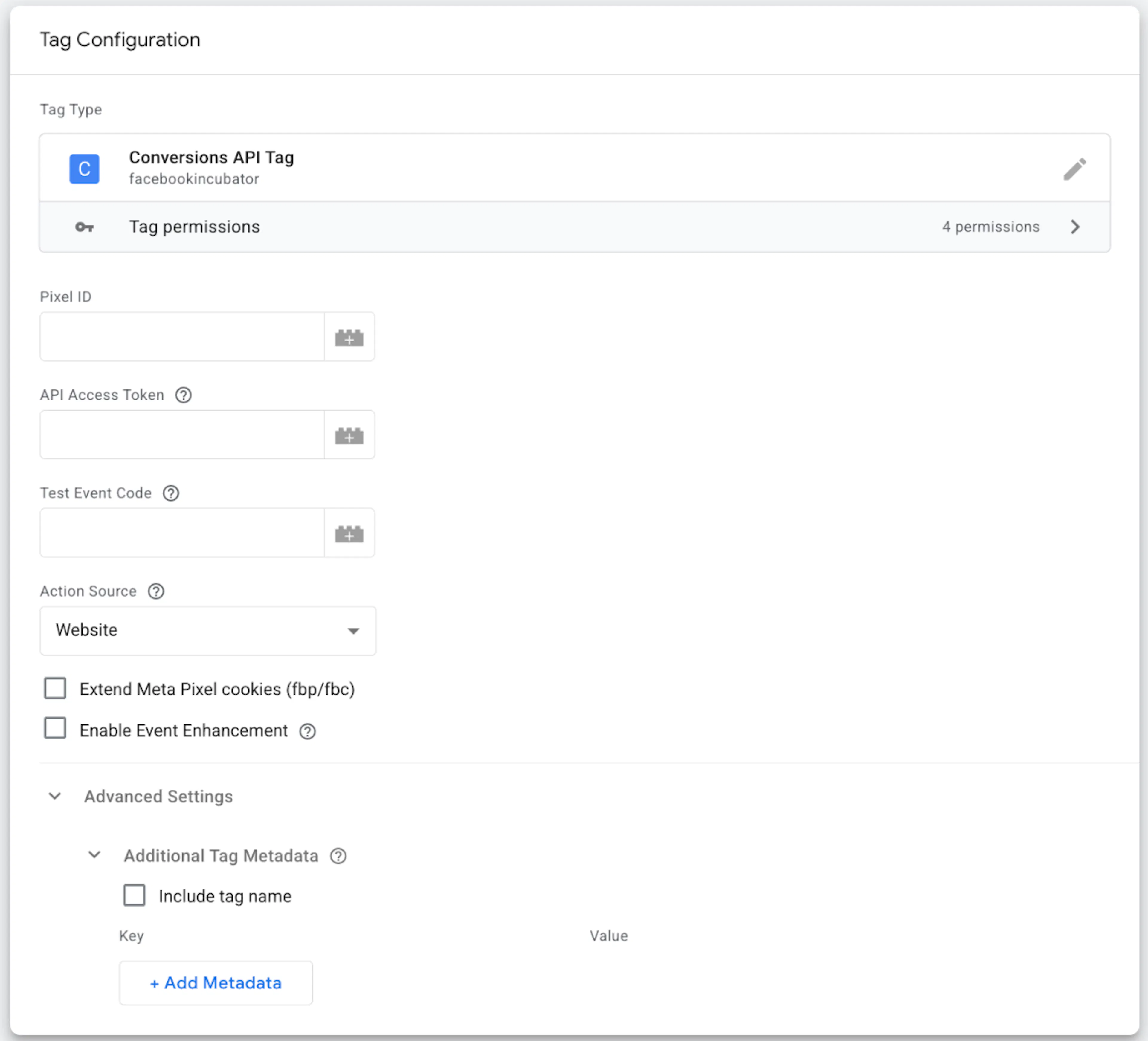
Pixel ID and API Access Token information must be added for account identification. Additionally, the Action Source field should be set to Website, as the data comes from a website. Test Event Code: Generate a temporary Test Event code in Meta Events Manager to prevent live and test data from being mixed.
Extend Meta Pixel Cookies: Cookies are rewritten by the server via sGTM, reducing the impact of browser restrictions such as ITP/ETP on data.Enable Event Enhancement: Collects user information from the request originating from the tag, hashes it, and adds it to CAPI events.- In server container, search Community Template Gallery for "Meta Conversions API"
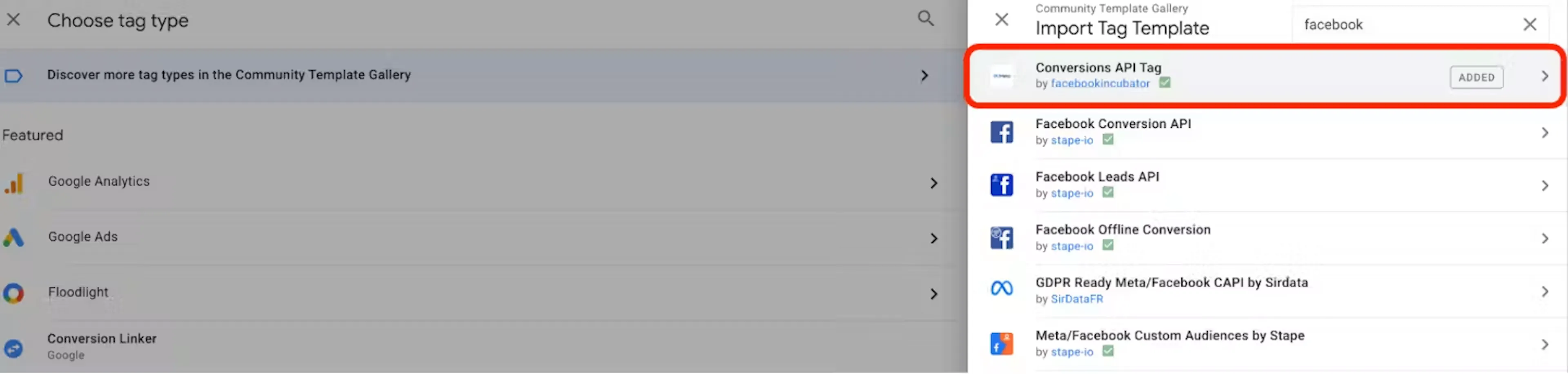
- Configure with your Meta Pixel ID and Access Token
- Map user data variables for enhanced matching
- Enable automatic event deduplication
Event Trigger
Set up triggers for Meta standard events:
- PageView → page_view
- Purchase → purchase
- AddToCart → add_to_cart
- Lead → generate_lead
- CompleteRegistration → sign_up
Test Implementation
- Enable Preview mode in both containers
- Trigger events on your website
- Verify Meta CAPI tag fires and sends data to Meta
- Check Meta Events Manager for successful delivery
Events Manager displays an Event Match Quality score (out of 10) for each event. This score indicates how well Meta can match incoming event data with users.