

Google Tag Manager
Route your analytics data through a server-side Google Tag Manager container to gain better data control and first-party data collection
Server-side Google Tag Manager
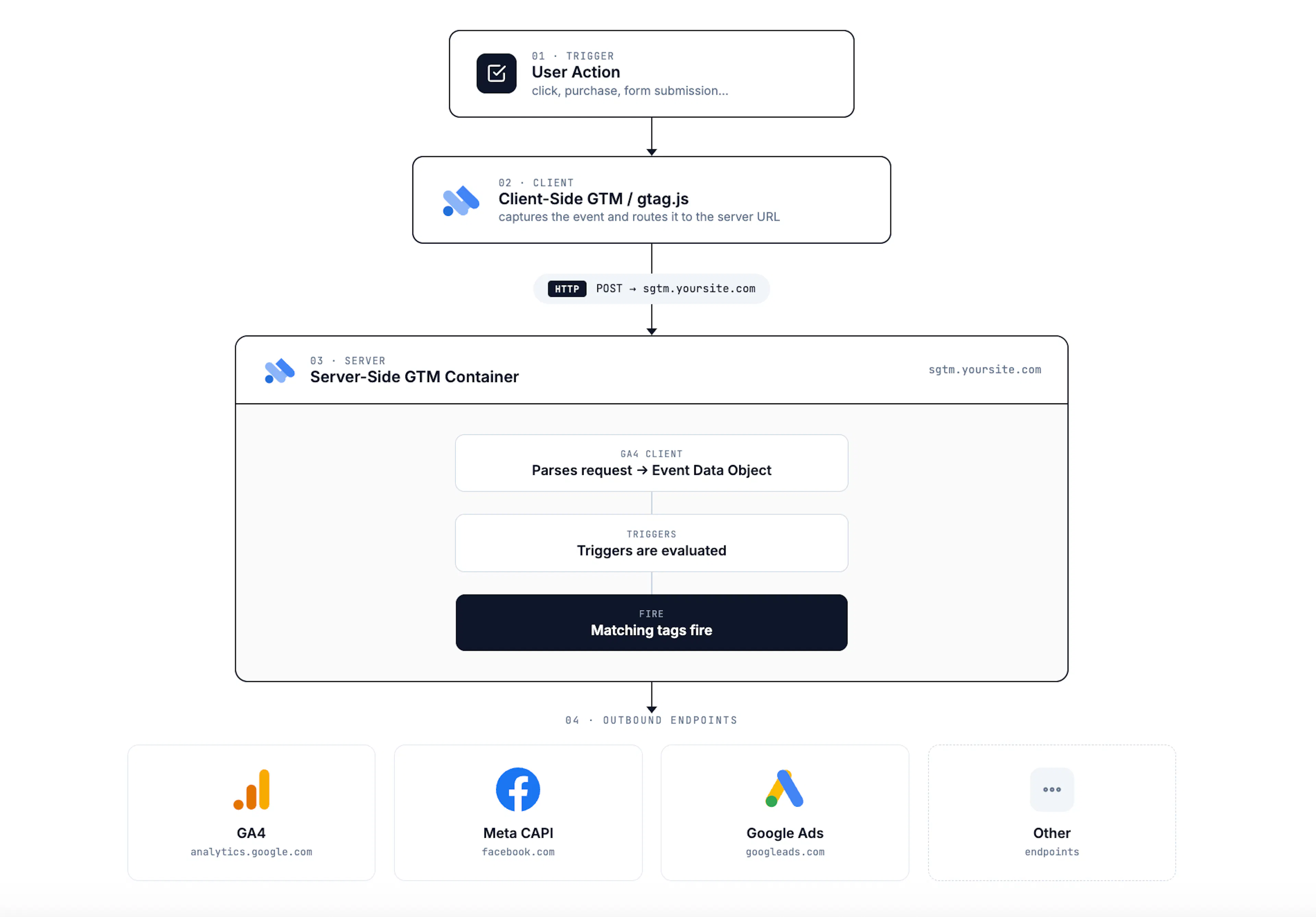
Server-side Google Tag Manager (sGTM) runs tags on a server instead of in the user's browser. sGTM sends user events from your site to a server, where the event information is processed, filtered, and routed to third-party tools. Incoming event data does not go directly to third parties, which gives you an extra processing layer before data is forwarded.
Make sure to check the partner's website and API documentation for the most up-to-date information and configurations.
Architecture for Server-Side GTM
Server-Side GTM, or sGTM as it's now called, sends user events on the site to the server. The event information received by the server is processed, filtered, and routed to third-party tools.
Thus, incoming event information doesn't go directly to third-party tools but is processed.
Hosting
Hardal provides automatic server support for a fixed monthly fee, so you do not need to handle server setup, provisioning, or maintenance yourself. This lets you start using Hardal faster while collecting first-party data with a same-origin setup.
Hardal will provide the server URL - you don't need to deploy this container on your own infrastructure.
Domain Configuration
For the sGTM server container URL to be treated as a first-party server, the URL must include your main domain name. To get the required DNS records, send an email to support@usehardal.com.
After Hardal shares the DNS records and you complete the domain setup, your server container URL should follow this pattern:
- Main domain:
yourdomain.com - Server container URL:
analytics.yourdomain.com
Google has also adopted the same-origin approach. Safari relies on the same pattern because Intelligent Tracking Prevention shortens the lifespan of cookies set with JavaScript.
Set up a custom domain for your sGTM container to improve data ownership and reliability.
Installation
Create Server Container
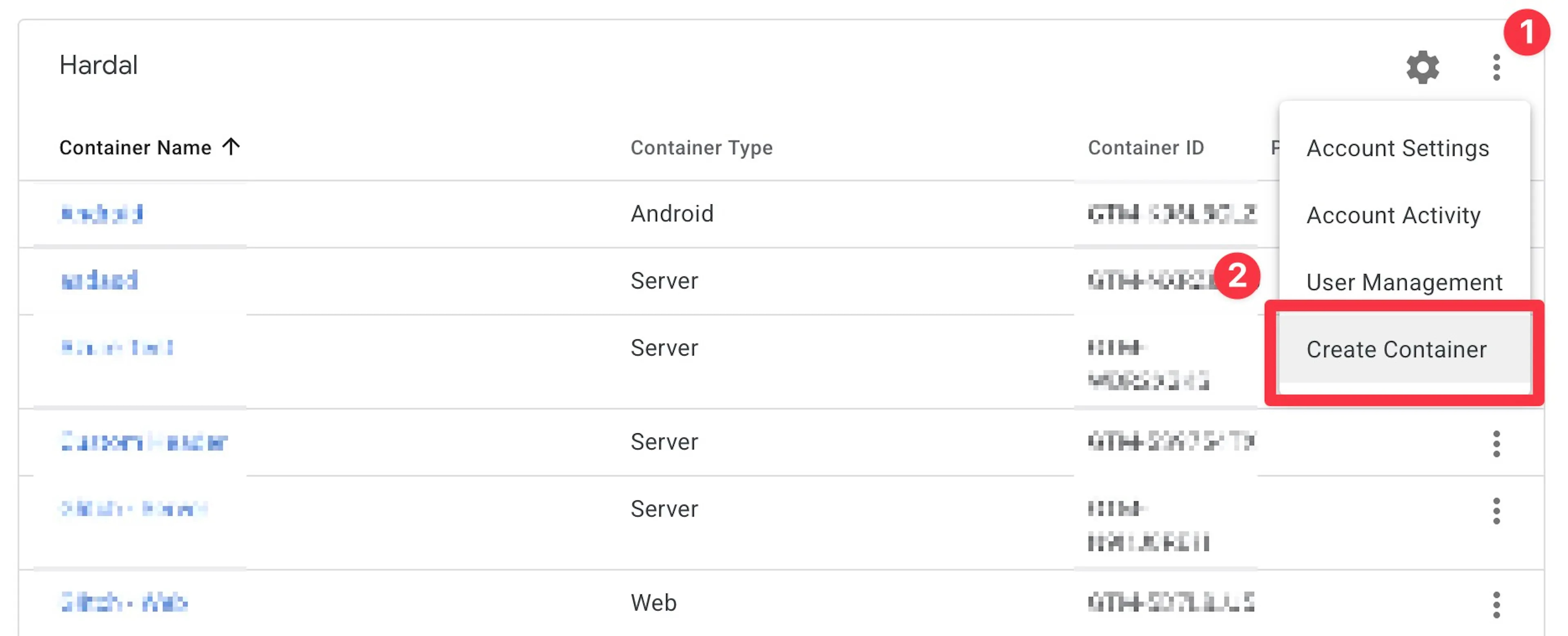
Go to Google Tag Manager and sign in with your Google account. Select your GTM account and click "Create Container".
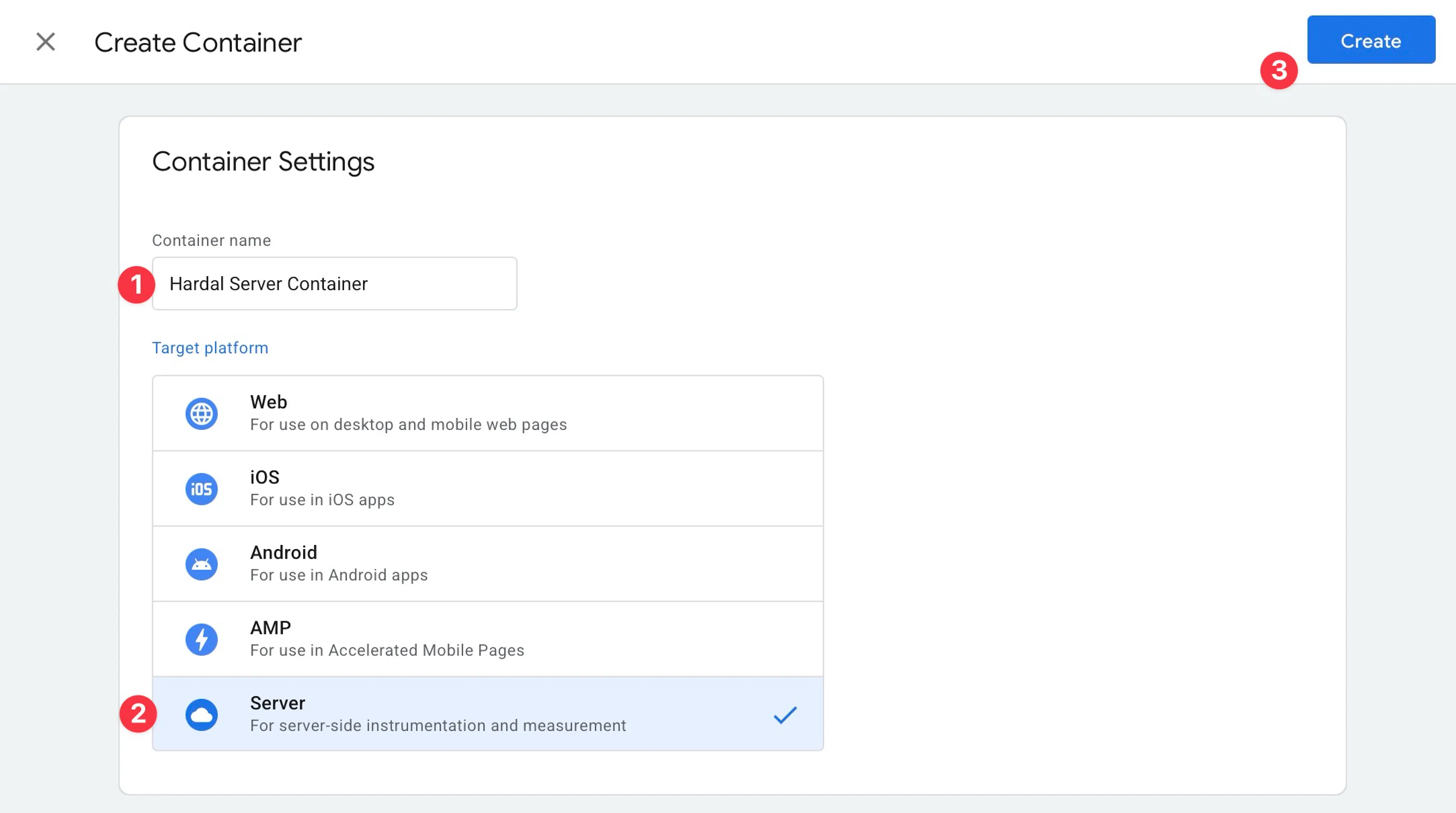
Enter a descriptive name, such as "Hardal Server Container", select "Server" as the target platform, and click "Create".
Obtain Config Key
Copy your Config Key from the pop-up window after creating the container.
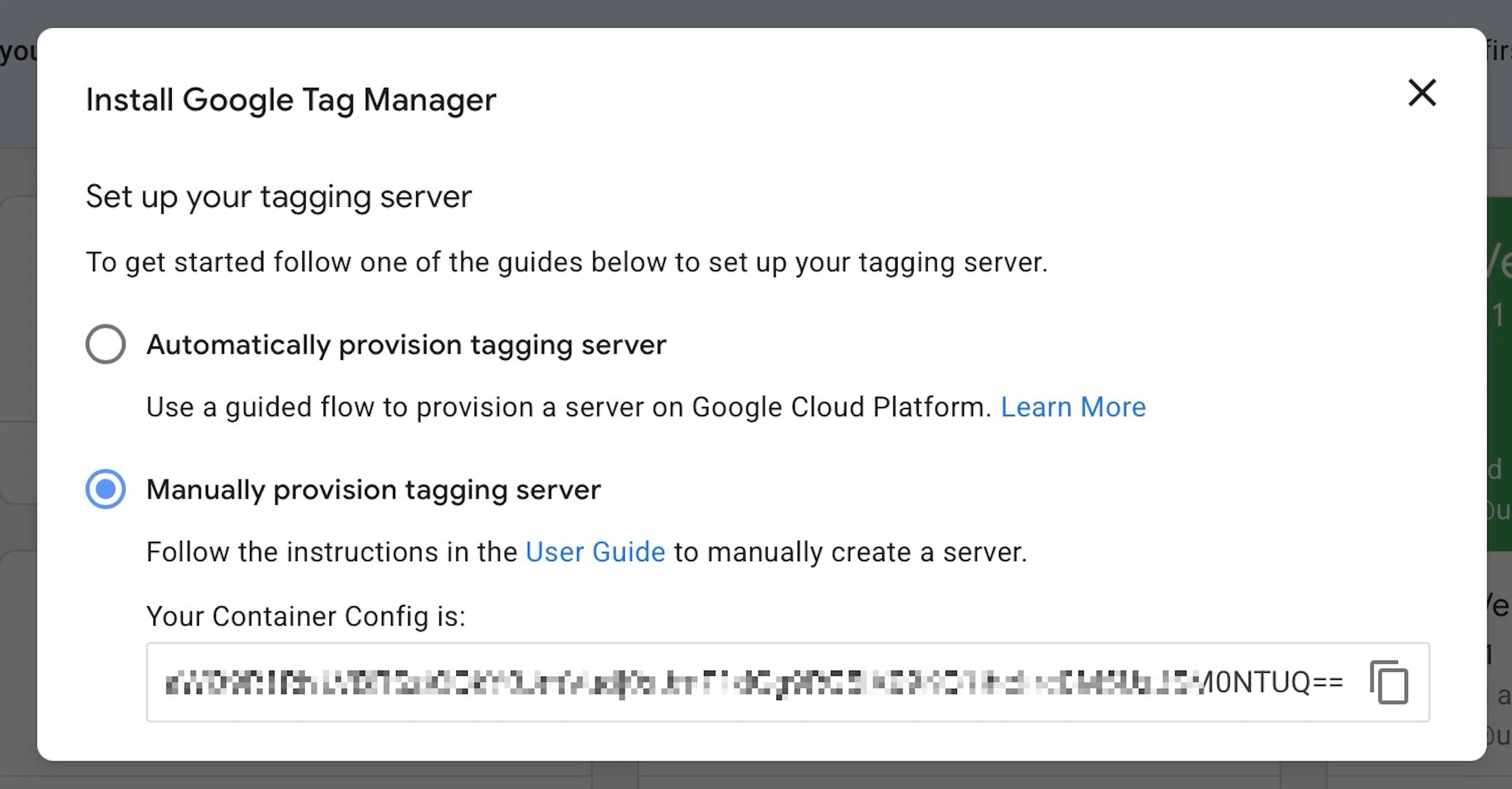
If you already have a server container, select it and click "Admin" → "Container Settings", then click "Set up your tagging server" → "Manually provision tagging server" to find your Config Key.
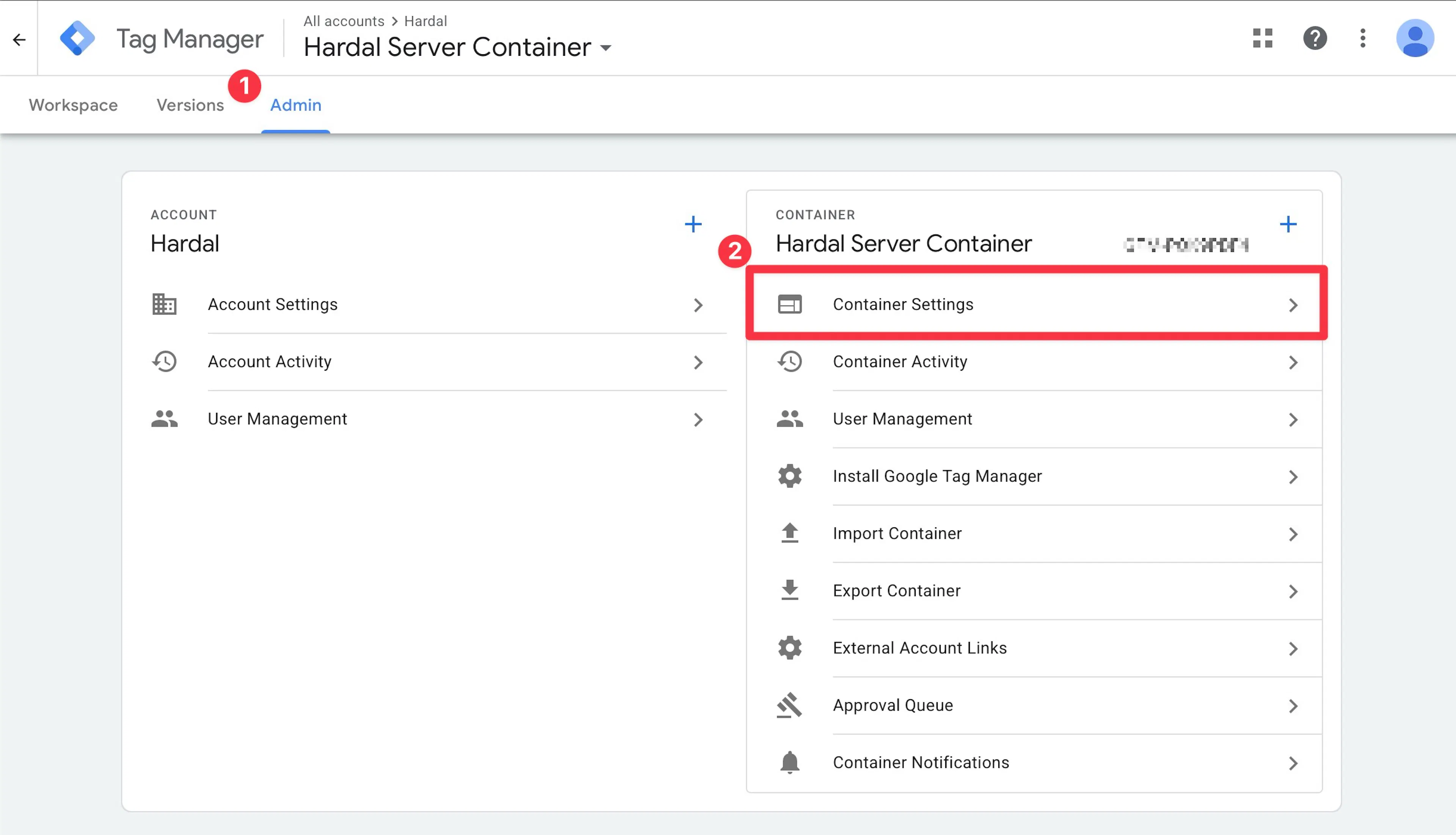
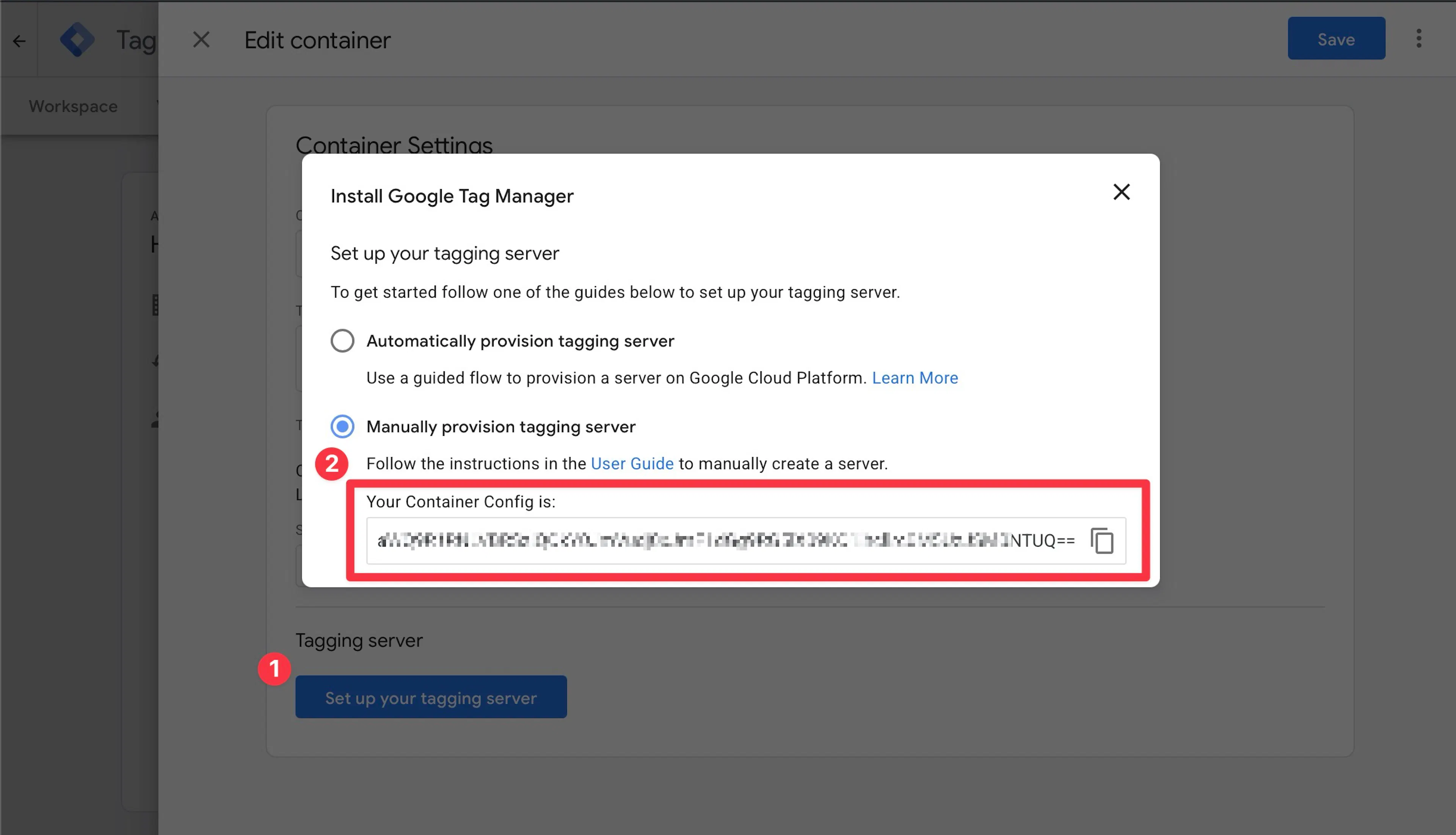
Then, the sGTM config key is sent to Hardal support@usehardal.com.
Set Server Container URL
Copy the "Tagging URL" from your Hardal Server-Side Hosts page.
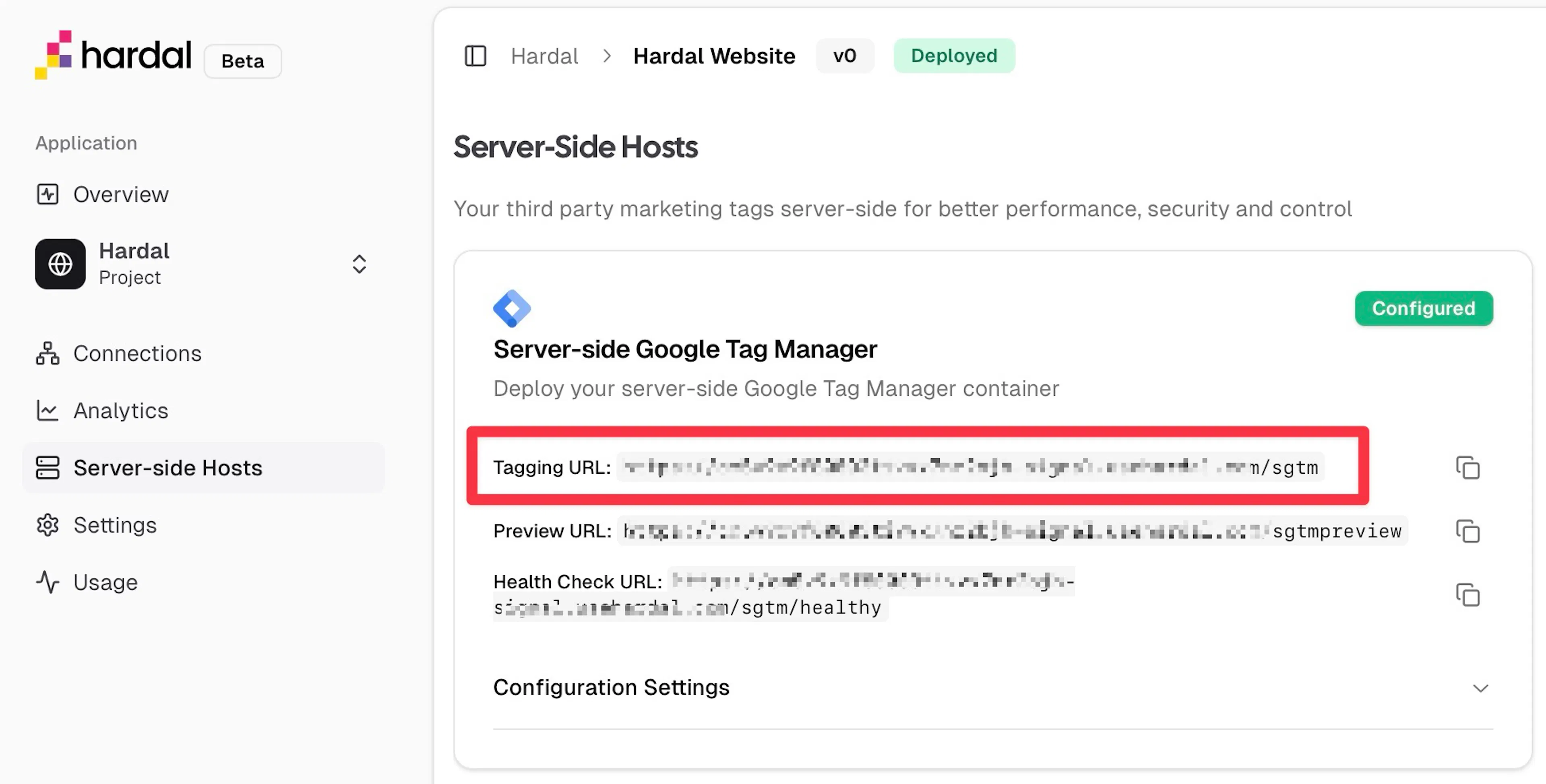
In GTM, navigate to "Admin" → "Container Settings" and click "Add URL" under Server Container URL. Paste the Hardal Tagging URL and save.
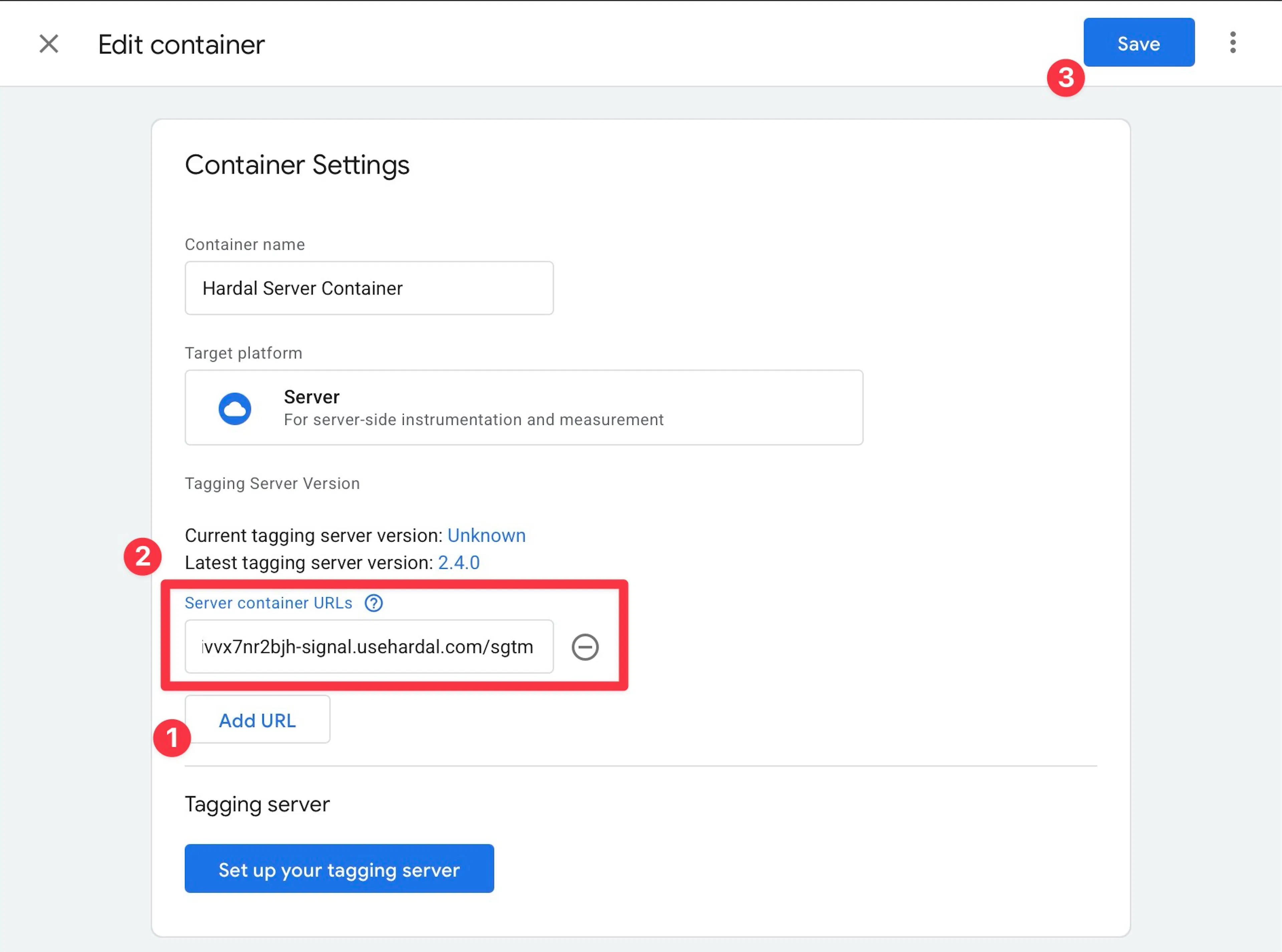
Verify Setup
Enable preview mode in your sGTM container and check for incoming events in the server container logs.
Your Server-side Google Tag Manager is now connected and ready to process analytics data through Hardal's infrastructure.
You can now configure tags for GA4, Meta, TikTok, and other platforms within your sGTM container.