

Make sure to check the partner’s website and API documentation for the most up-to-date information and configurations.
Create Server Container
Access Google Tag Manager
Go to Google Tag Manager and sign in with your Google account.
Create New Container
Select your GTM account and click “Create Container”.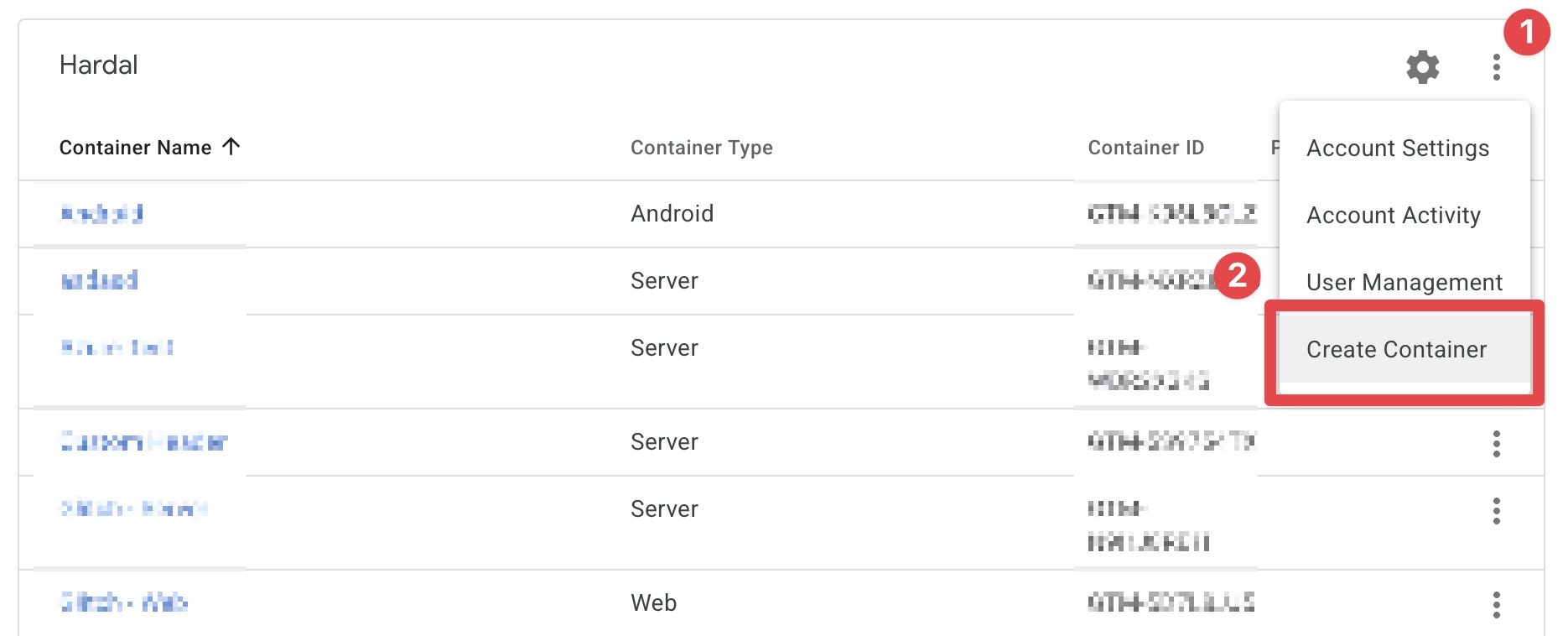
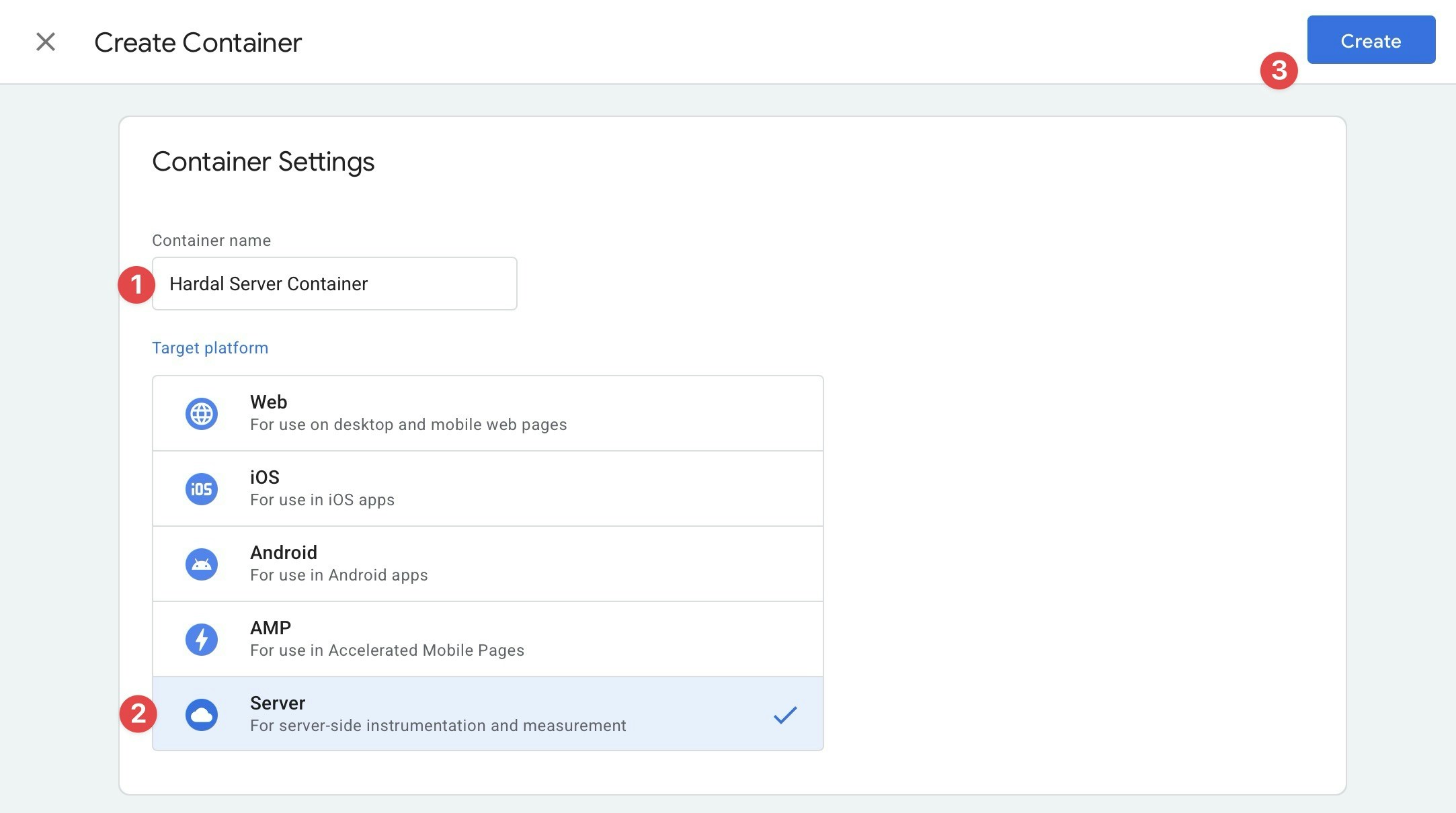
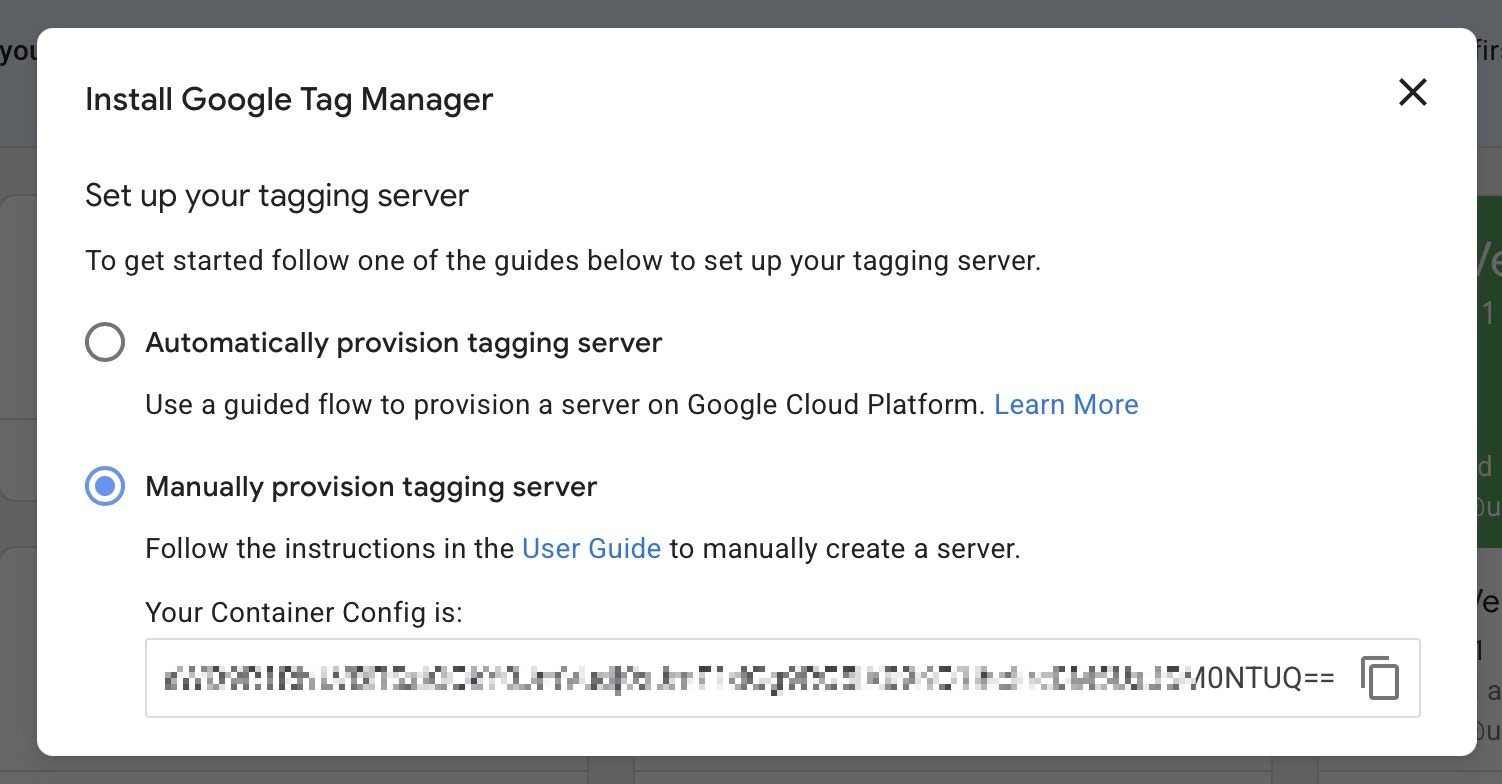
Hardal will provide the server URL - you don’t need to deploy this container on your own infrastructure.
Find Existing Config Key
If you already have a server container: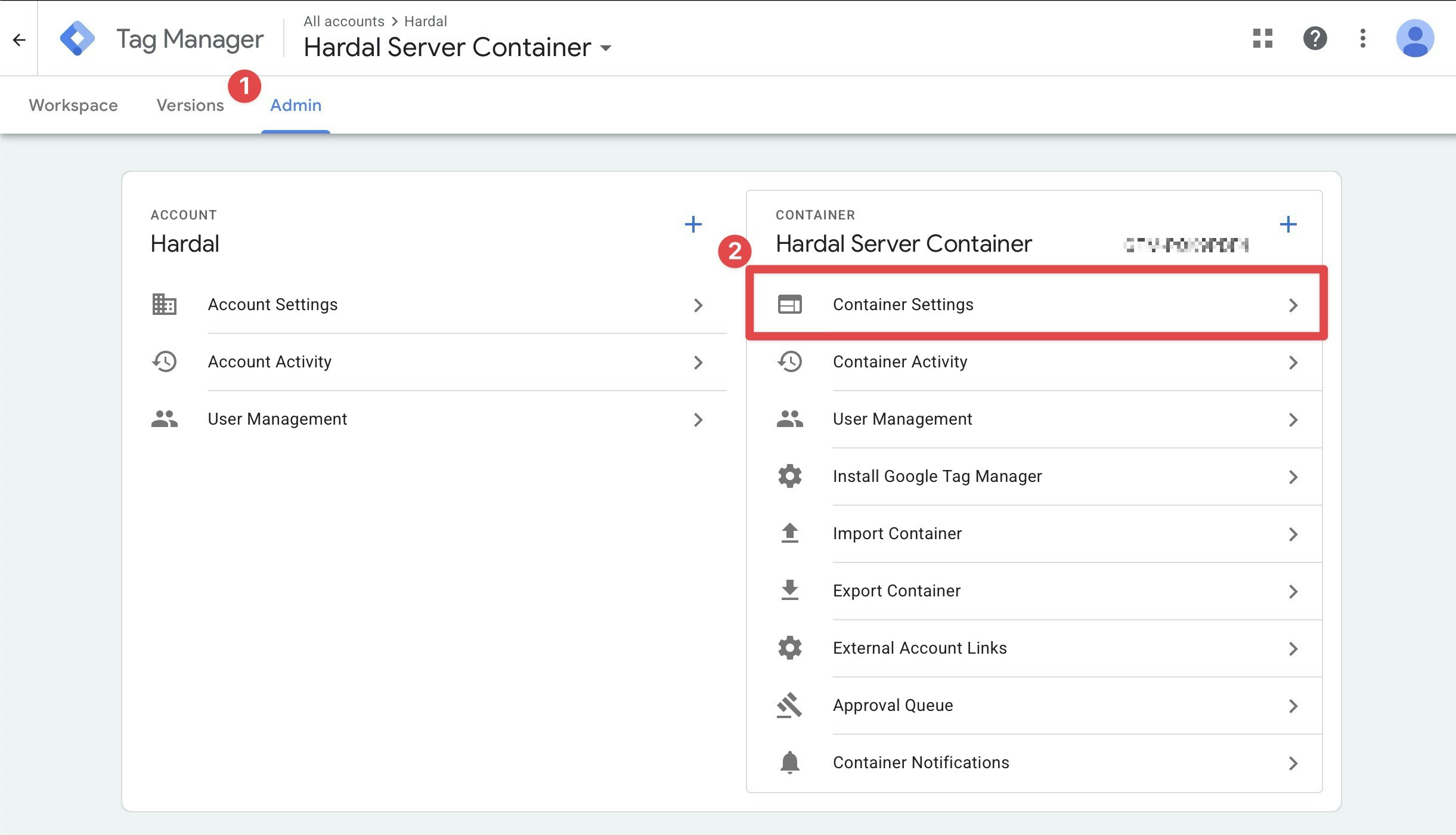
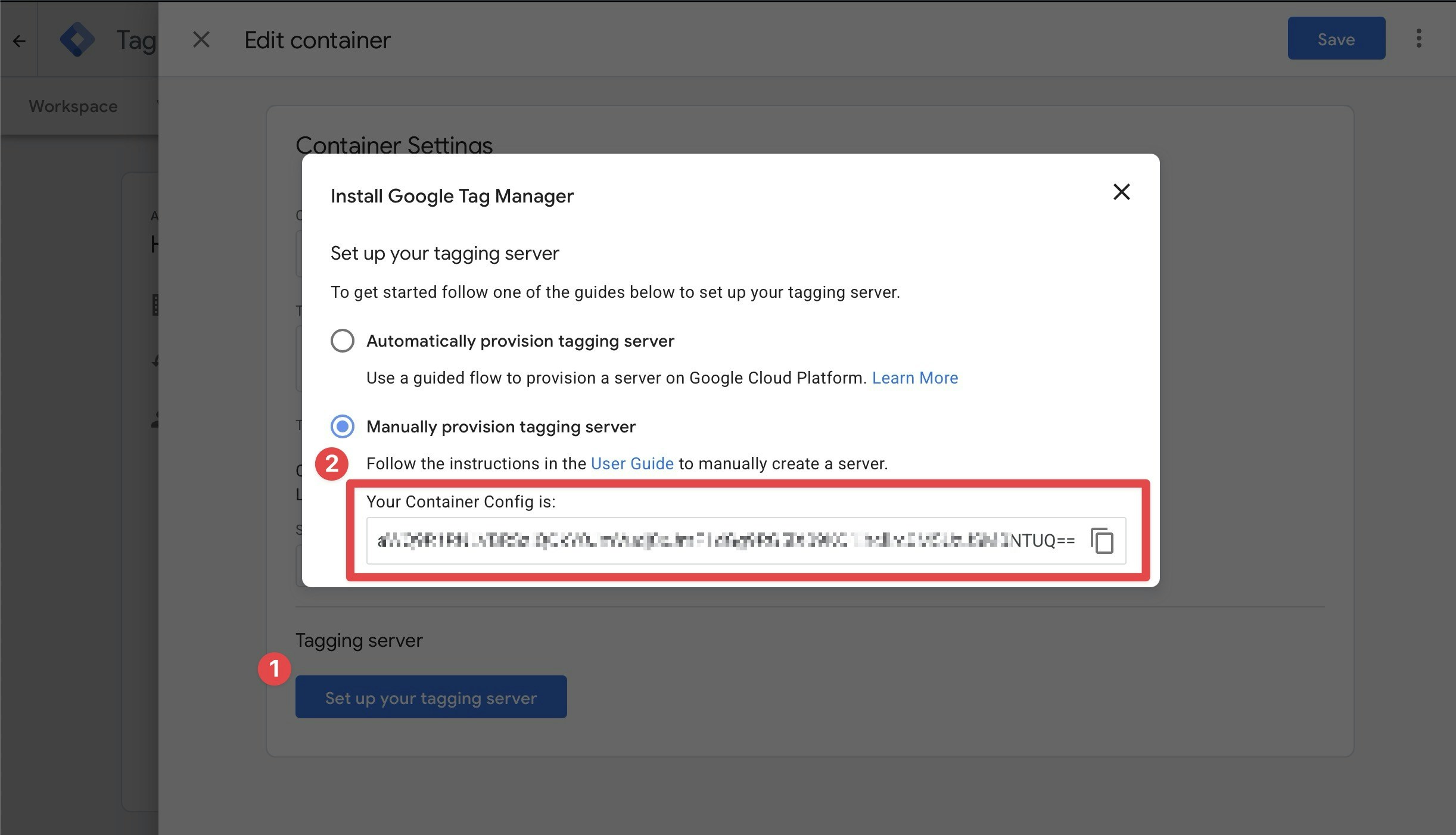
Setup Process
Configure Hardal
Enter your Config Key in “Server-Side Hosts” under the Server-side Google Tag Manager section in your Hardal dashboard.
Set Server Container URL
Copy the “Tagging URL” from your Hardal Server-Side Hosts page.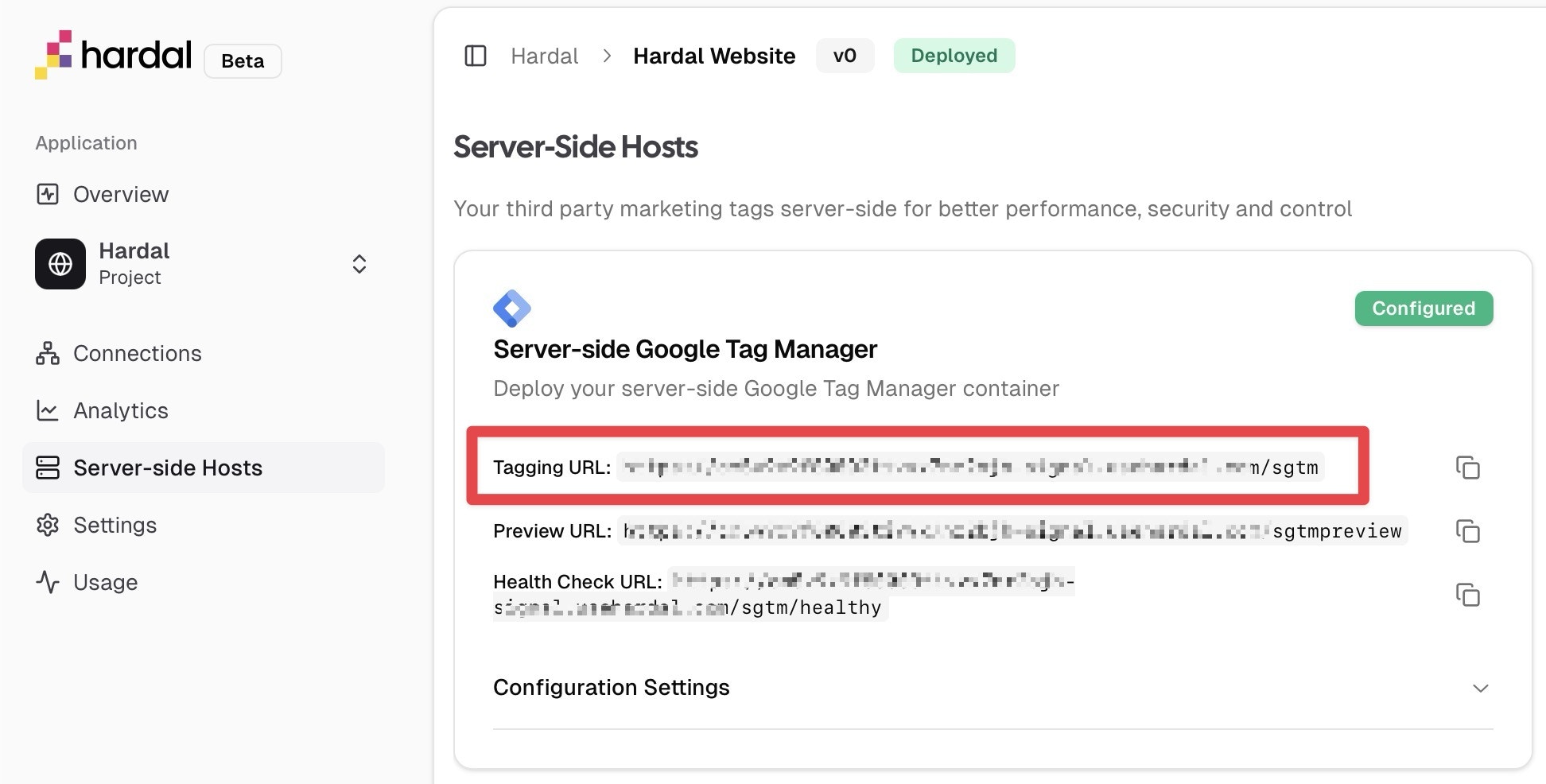
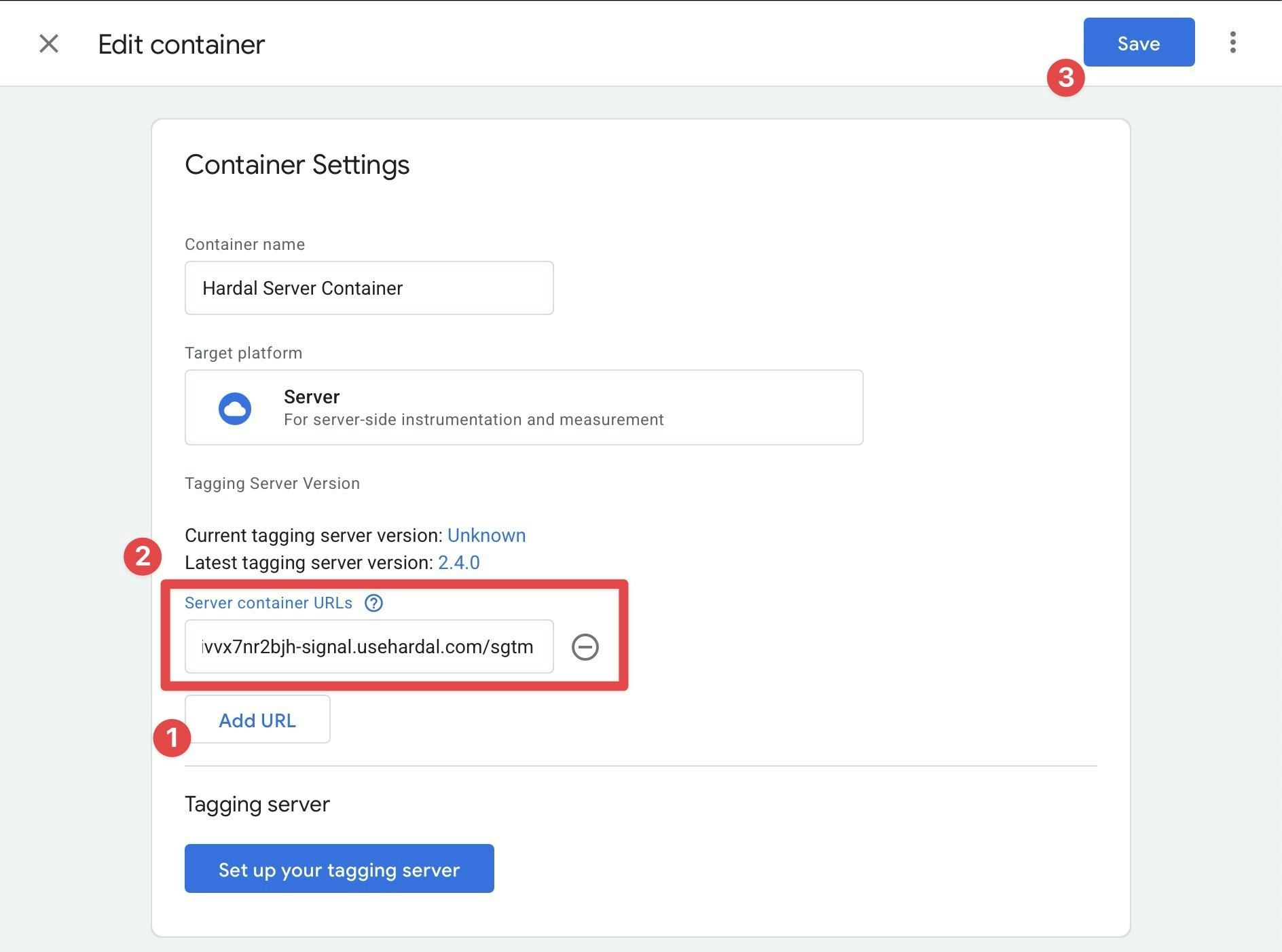
You can now configure tags for GA4, Meta, TikTok, and other platforms within your sGTM container.